

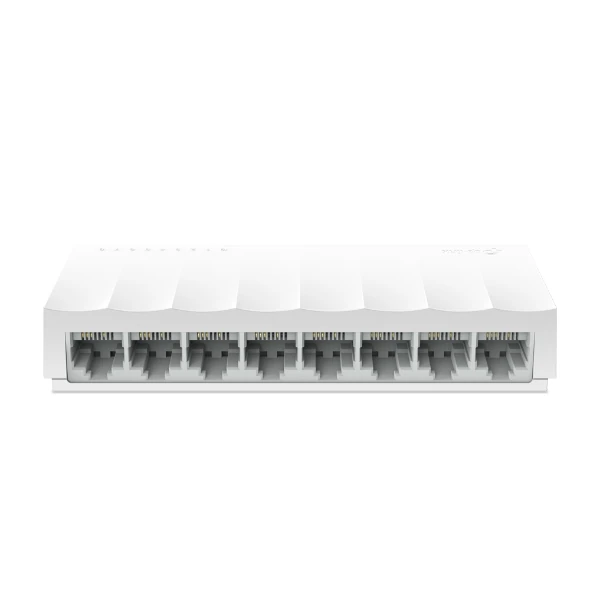
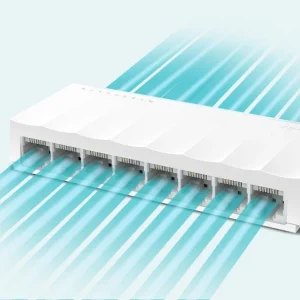
TP-Link LS1008 8-Port Desktop Switch
₨2700.00
- 8 × 10/100 Mbps RJ45 ports for PCs, printers, TVs and more
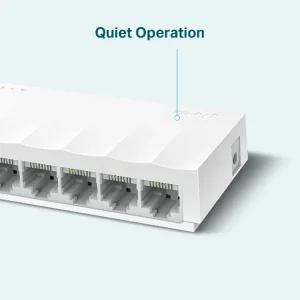
- Fanless, silent design with energy-saving Green Ethernet
- Plug and play — no setup or configuration needed
- Compact desktop switch with 5V power adapter included
- Description
- Reviews (0)
Description
Overview
The TP-Link LS1008 is a straightforward 8-port desktop switch for homes and small offices that need more wired network ports without any fuss. It adds eight 10/100 Mbps Ethernet ports to your network, so you can connect up to eight wired devices — desktop PCs, printers, smart TVs, IPTV boxes, game consoles and network storage — to your router through a single cable. Because the switch is unmanaged, there is nothing to configure: plug in the included power adapter, connect your devices, and it starts working straight away.
The LS1008 belongs to TP-Link’s LiteWave range, a family of compact, budget-friendly switches built for everyday networking. Its small plastic case measures just 124.6 × 48.7 × 22.8 mm, so it sits neatly beside a router or on a desk. A fanless design keeps it completely silent, which matters in a bedroom, study or small office. One thing to be clear about: this is a Fast Ethernet switch, not a Gigabit switch. Each port runs at 10/100 Mbps, which is plenty for browsing, email, printing, HD streaming and most office work. If you need Gigabit speeds for a NAS or heavy file transfers, look at the LS1008G instead.
Key Benefits
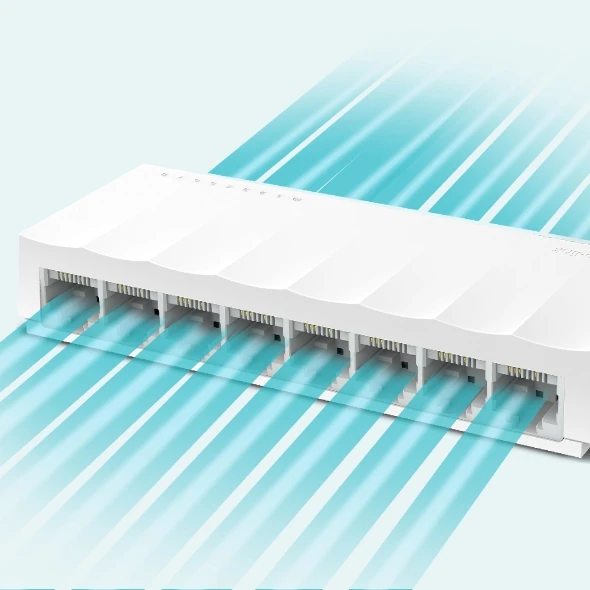
Eight ports where you need them. Most home routers only have three or four LAN ports, and they run out fast. The LS1008 gives you eight, so a whole room of devices can stay wired at the same time. Wired connections are steadier than Wi-Fi for desktop PCs and smart TVs, with no signal drops through walls.
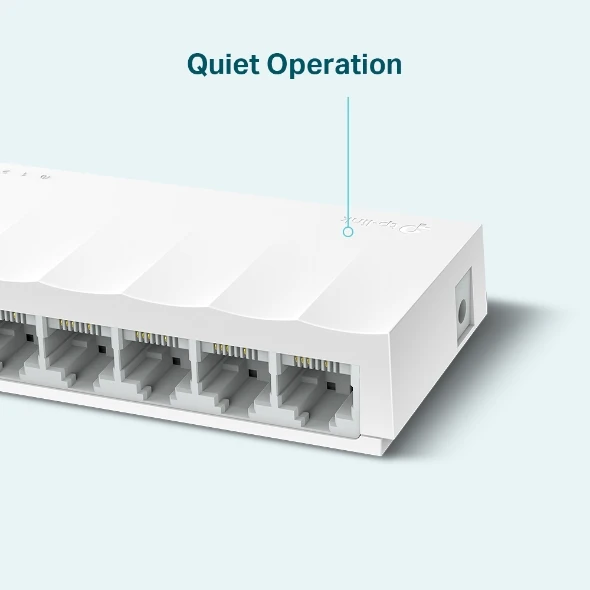
Completely silent. With no fan inside, the LS1008 makes no noise at all. Put it on a desk, a bedroom shelf or a reception counter and you will forget it is there.
Uses very little power. Green Ethernet adjusts power to the cable length and powers down ports that are not in use. Maximum power consumption is only 2.64 W, so it costs almost nothing to leave running all day.
Zero setup. There is no web interface to learn and no settings to get wrong. Auto-negotiation picks the right speed for each device, and Auto-MDI/MDIX means any standard Ethernet cable works — no crossover cable needed.
Features and Advantages
Every one of the eight RJ45 ports supports 10/100 Mbps with auto-negotiation, so older 10 Mbps devices and newer 100 Mbps devices both work without adjustment. The switch uses store-and-forward transmission, which checks each packet for errors before passing it on, keeping the network clean and reliable.
Under the hood, the LS1008 has a 1.6 Gbps switching capacity, a 1.2 Mpps packet forwarding rate, a 2K MAC address table and a 2 KB jumbo frame. Flow control (IEEE 802.3x) and back pressure prevent packet loss when a device is busy.
Green Ethernet is more than a label here. The switch lowers power use based on cable length and switches off power to ports with no link, which is how it stays at just 2.64 W at most. The external 5 VDC / 0.6 A power adapter is included, so there is nothing extra to buy. It works in temperatures from 0 to 40 °C, so it is fine in any normal room in Pakistan, summer or winter.
It is also worth knowing what it does not do: it has no PoE, so it cannot power cameras or access points through the cable, and it is not wall-mountable. If you later add wireless coverage, a TP-Link EAP225-Wall access point or a TP-Link EAP225 AC1350 ceiling access point connects to the same network through one of these ports.
Ideal Users
The LS1008 suits anyone who needs a few more wired ports and does not want to spend much or learn networking. In a home, it connects the family PC, a printer, a smart TV and a game console in one room, all wired and stable. Students and home-office workers use it to give a desktop PC and a laptop dock a reliable wired link while Wi-Fi stays free for phones and tablets.
Small shops and offices use the LS1008 at a reception desk or in a small workgroup — a billing PC, a receipt printer and a CCTV recorder on Fast Ethernet all plug in and just work. It is also a handy spare switch for installers: cheap, silent and small enough to carry in a tool bag.
This is not the right switch if you move large files between computers every day or run a NAS, because 100 Mbps caps transfers at around 12 MB/s. For that, step up to a Gigabit model such as the LS1008G.
Technical Specifications
| Specification | Details |
|---|---|
| Model | TP-Link LS1008 (LiteWave) |
| Ports | 8 × 10/100 Mbps RJ45, Auto-Negotiation, Auto-MDI/MDIX |
| Switching Capacity | 1.6 Gbps |
| Packet Forwarding Rate | 1.2 Mpps |
| MAC Address Table | 2K |
| Jumbo Frame | 2 KB |
| Transmission | Store and Forward |
| Standards | IEEE 802.3i, IEEE 802.3u, IEEE 802.3x |
| Features | Green Ethernet, 802.3X flow control, back pressure |
| Fan | Fanless (silent) |
| Power | External power adapter 5 VDC / 0.6 A (included) |
| Max Power Consumption | 2.64 W |
| Dimensions | 124.6 × 48.7 × 22.8 mm |
| Mounting | Desktop only (no wall-mount) |
| Operating Temperature | 0–40 °C |
| Storage Temperature | −40–70 °C |
| Operating Humidity | 10–90% RH, non-condensing |
| Certifications | CE |
| In the Box | Switch, power adapter, installation guide |
FAQs
Is the LS1008 a Gigabit switch?
No. All eight ports are 10/100 Mbps Fast Ethernet. If you need Gigabit speeds on every port, choose the LS1008G instead — it looks similar, so check the model name on the box.
Do I need to configure anything?
No. The LS1008 is an unmanaged switch. Connect the power adapter and your Ethernet cables and it works immediately. There is no login, no app and no settings.
Can I mount it on a wall?
No. The LS1008 is a desktop-only design with no wall-mounting holes. It is made to sit flat on a desk or shelf.
Can it power PoE cameras or access points?
No. The LS1008 carries data only and has no PoE. If you need to power IP cameras or access points over the network cable, look at a PoE switch such as the TP-Link LS1210P. You can still connect a TP-Link EAP235-Wall access point to this switch for Wi-Fi coverage — it just needs its own power source.
What comes in the box?
The switch, a 5 VDC / 0.6 A power adapter and an installation guide. Ethernet cables are not included, so keep a few patch cables handy.
How much electricity does it use?
Very little. Maximum power consumption is 2.64 W, and Green Ethernet lowers that further when ports are idle or cables are short.
Why Buy From NexGenShop.pk?
NexGenShop.pk stocks genuine TP-Link networking gear at fair prices across Pakistan, and the LS1008 at Rs 2,700 is one of the lowest-cost ways to add eight wired ports to a home or office. You order a real, sealed unit and you get local support if something is not right. Delivery covers major cities across the country, and you can reach the team on Facebook or Instagram with any question. If your network grows, the same store carries the next step up: the Gigabit LS1008G, PoE switches for cameras, and access points such as the TP-Link EAP655-Wall for fast Wi-Fi 6 coverage.
Final Conclusion
The TP-Link LS1008 does one job and does it well: it turns one router port into eight reliable wired connections, quietly and cheaply. It is not a Gigabit switch and it does not power PoE devices, but for browsing, printing, streaming and everyday office work, 100 Mbps per port is enough. If your home or small office keeps running out of network ports, this is the simple fix.




Reviews
There are no reviews yet.