

Lenovo L27-4e 27″ FHD 100Hz IPS Monitor
₨48000.00
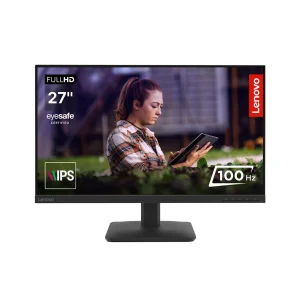
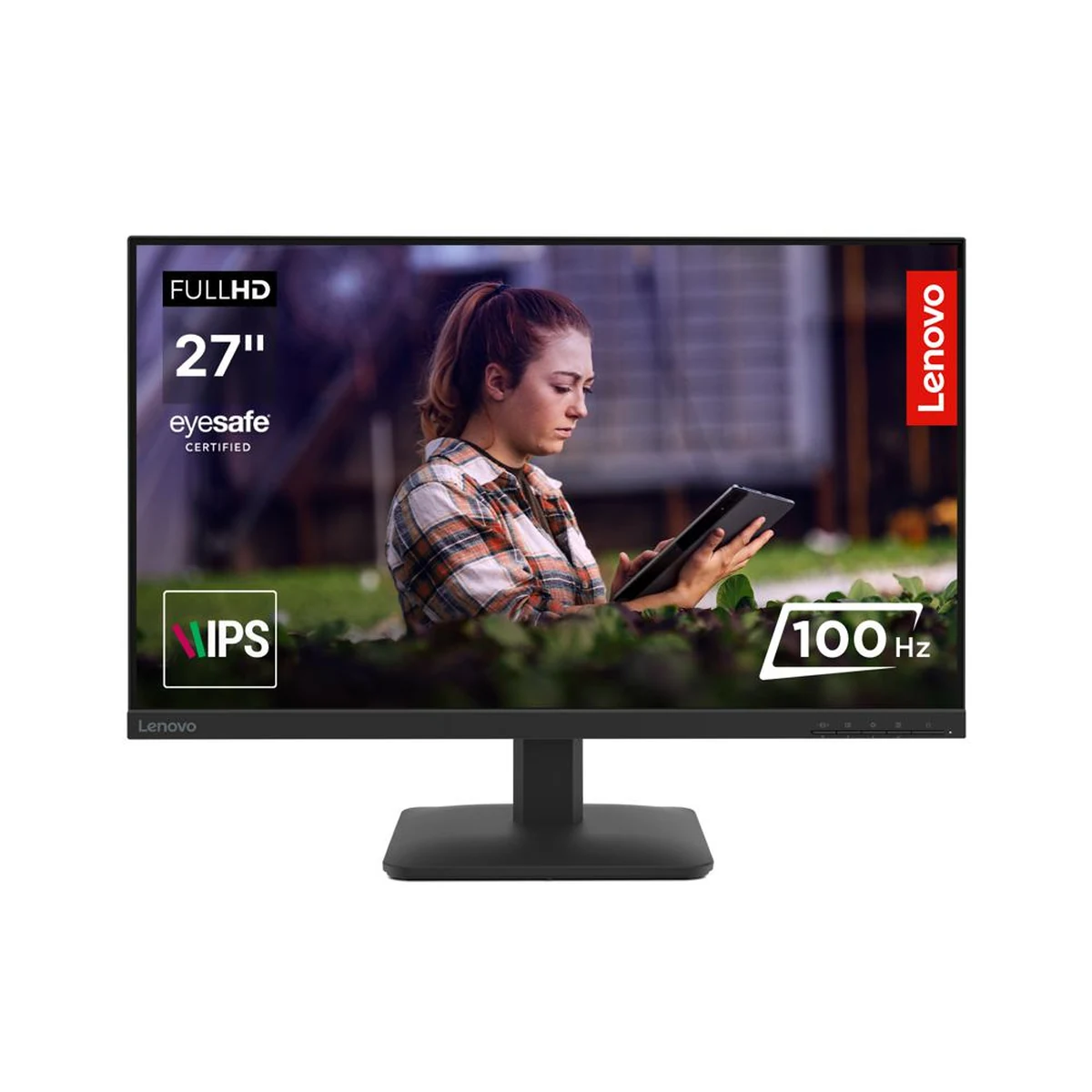
- 27-inch FHD IPS office monitor with 99% sRGB colour accuracy
- 100Hz refresh rate for smoother scrolling than a standard 60Hz screen
- 300 nits brightness and 1500:1 contrast for a clear, readable picture
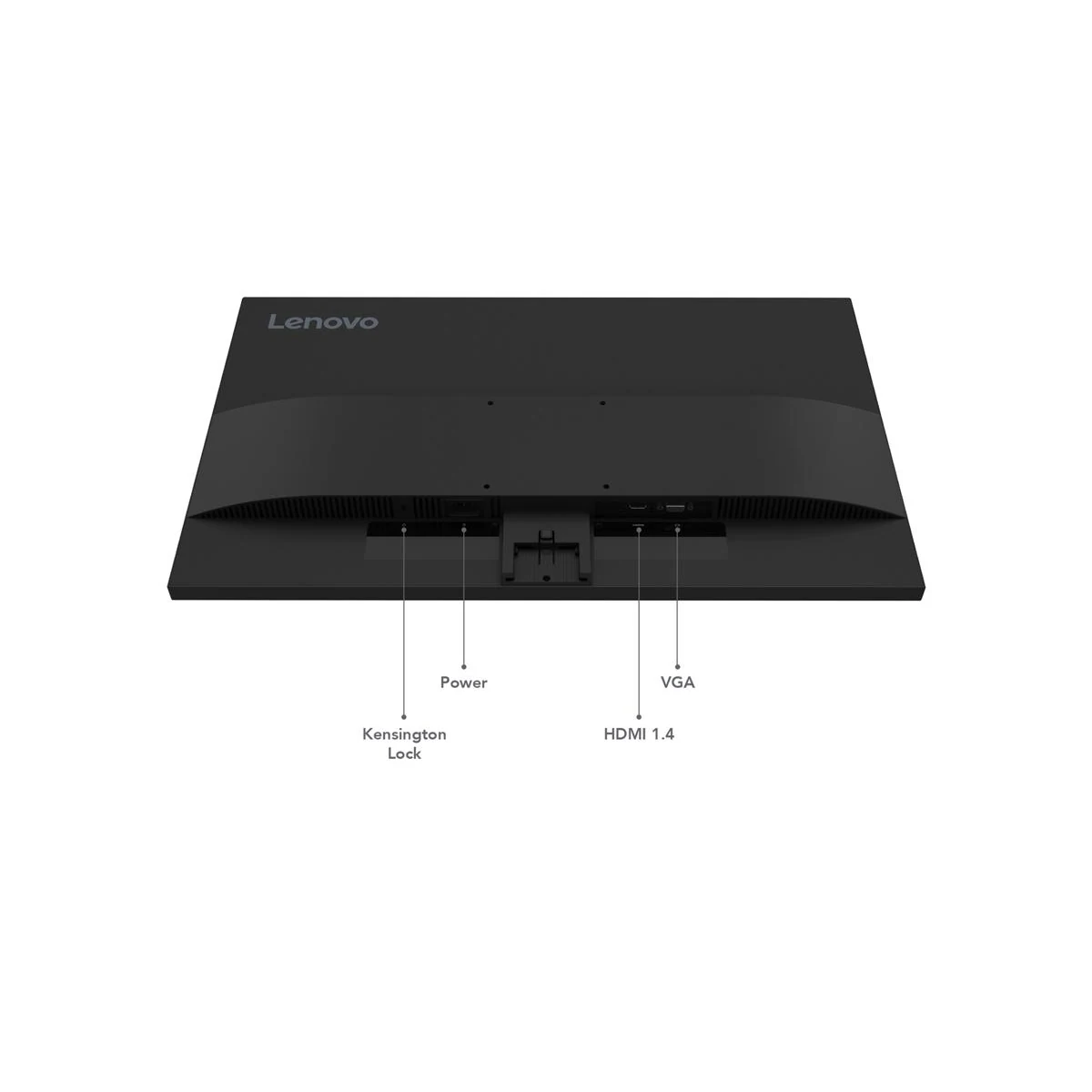
- HDMI 1.4 and VGA ports to connect new and older office PCs
- Description
- Reviews (0)
Description
Overview
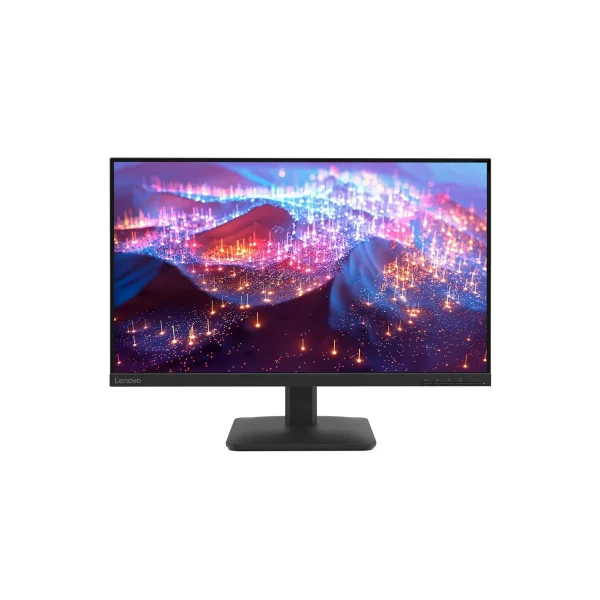
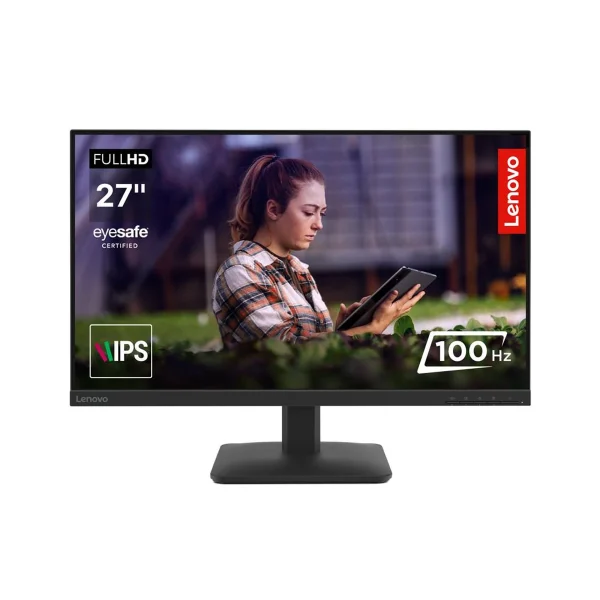
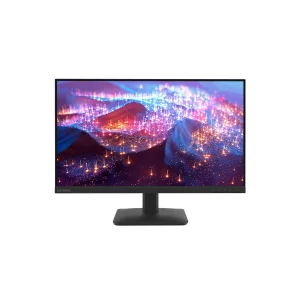
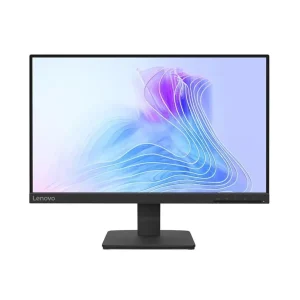
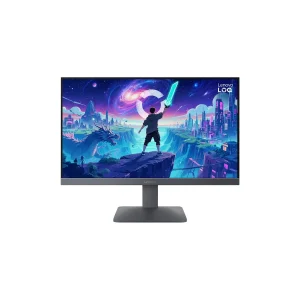
The Lenovo L27-4e is an office monitor, and it is worth saying that plainly before anything else. It is a 27-inch FHD IPS screen built for spreadsheets, documents, email and video calls — not for competitive gaming. What it does, it does well: a big, bright, colour-accurate picture at 100Hz, with the ports an office actually needs, in a plain Raven black body that fits on any desk.
The panel is a 27-inch IPS display at 1920 x 1080, with 99% sRGB colour coverage, 300 nits of brightness and a 1500:1 contrast ratio. That combination matters for office work more than a headline refresh rate does. The 99% sRGB means colours on screen match what you would see in print or in a photo, the 300 nits keep the picture readable in a bright room, and the 1500:1 contrast gives text a solid, dark background instead of the grey wash you get from a cheap panel.
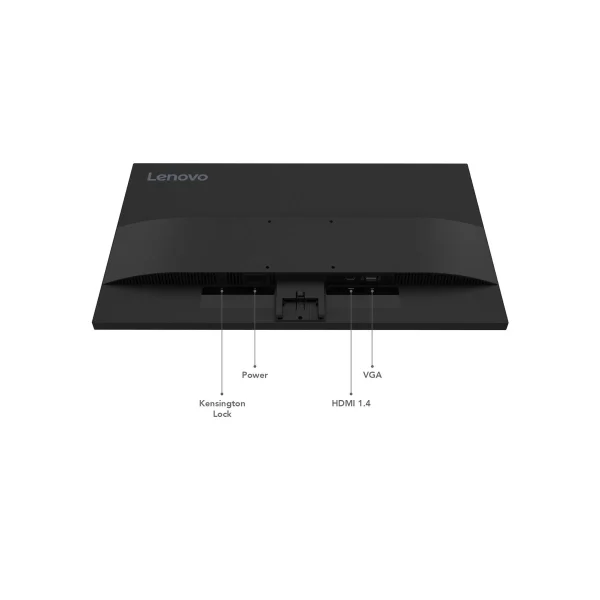
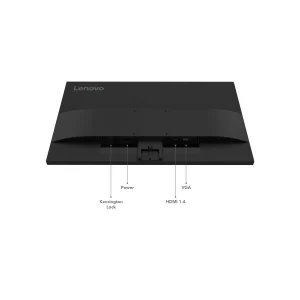
The refresh rate is 100Hz — not a gaming number, but a real step up from the 60Hz screens most offices still use. Scrolling through a long spreadsheet, dragging a window across the desktop, moving the cursor: all of it looks and feels smoother. Ports are one HDMI 1.4 and one VGA — and no, there is no DisplayPort, so check that your PC has HDMI or VGA before ordering.
Key Benefits
The first benefit is the size and the colour. A 27-inch screen with 99% sRGB coverage gives you room for two documents side by side and colours you can trust — useful for accounts work, for editing photos for a shop listing, for anything where the colour on screen has to be the colour in real life.
The second benefit is the 100Hz refresh. It sounds like a small number next to the 144Hz and 200Hz gaming monitors in this batch, but for office work it is the sweet spot: scrolling, dragging and cursor movement are visibly smoother than on a 60Hz screen, with no gaming hardware or extra cost to get there.
The third benefit is the brightness and contrast. At 300 nits and 1500:1, this screen is brighter than most budget 27-inch office monitors, and the deeper contrast makes text easier to read for long hours.
The fourth benefit is the ports. HDMI covers a new desktop or laptop, and VGA covers the older office hardware still in service in plenty of shops and offices across Pakistan. And with a typical power draw of just 17.3W and an internal power supply, there is no external brick taking up space on the desk.
Features and Advantages
The IPS panel is the core of this monitor. IPS gives you the wide viewing angles and the colour accuracy that TN panels cannot match, and at 27 inches with thin bezels on three sides, the screen feels modern rather than like the chunky office monitors of a few years ago. The response time is 4ms GtG in Extreme mode and 6ms in Normal mode — fine for office work and casual games, but this is not a gaming panel and the listing does not pretend it is.
There is no HDR on this monitor, no FreeSync or Adaptive Sync, and no DisplayPort.
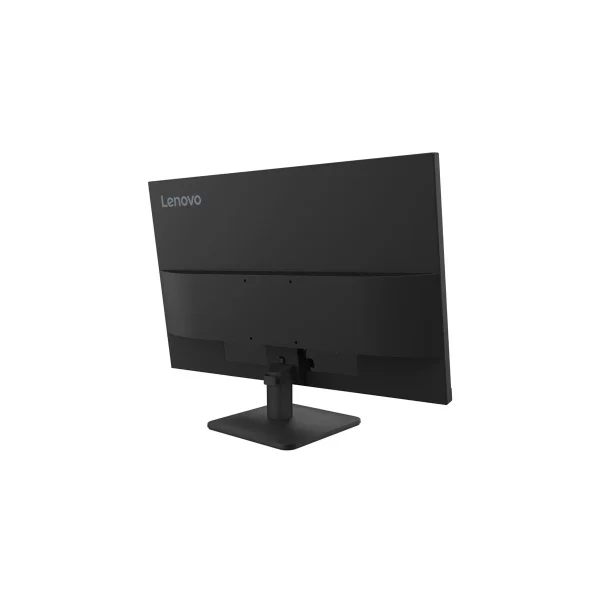
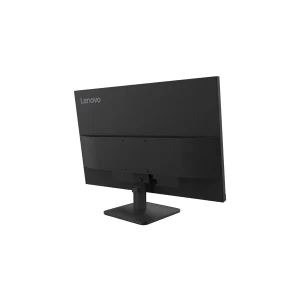
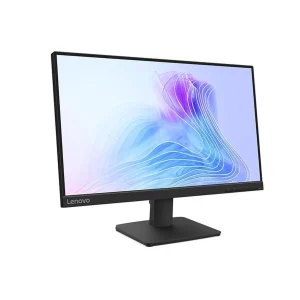
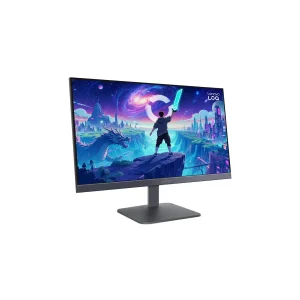
The stand tilts from -5 to +22 degrees. It does not adjust height, swivel or pivot, so if you want the screen at a specific height, use the VESA 100 x 100 mount with a monitor arm or a wall bracket. It weighs approx. 4.1 kg with the stand, light enough to move between desks, and the internal power supply means one cable to the wall and nothing else to hide.
For a complete office setup, this monitor pairs naturally with a compact desktop. The HP EliteDesk 800 G3 Mini sits behind the screen or under the desk and drives it over HDMI, and the Dell OptiPlex 7050 MT is the full-size office desktop if you need room for upgrades later.
Ideal Users
Offices and home offices will get the most out of the L27-4e. Spreadsheets, documents, email, video calls — a big screen makes all of it easier, and the 100Hz refresh makes a full working day feel less tiring than a flickery 60Hz screen.
Students are the second group. Study, research and assignments on a comfortable 27-inch display, with enough colour accuracy for design coursework and enough size for two windows side by side — a browser and a document, a lecture video and your notes.
Shops and reception counters are the third group. A reliable everyday screen for billing software, CCTV viewing PCs and customer-facing displays, where the VGA port earns its keep on older hardware. For a second screen, the HP EliteDisplay E240 Monitor (Used) sits well beside it.
Technical Specifications
| Specification | Details |
|---|---|
| Model | Lenovo L27-4e |
| Panel size / type | 27-inch, IPS, 3-side NearEdgeless, WLED backlight, flat |
| Resolution | 1920 x 1080 (FHD), 16:9, 82 dpi |
| Refresh rate | 100Hz (native — not a gaming high-refresh panel) |
| Response time | 4ms GtG (Extreme mode), 6ms GtG (Normal mode) |
| Brightness | 300 cd/m² |
| Contrast ratio | 1500:1 typical; 3,000,000:1 dynamic |
| Colour | 99% sRGB; 16.7M colours |
| HDR | None — no HDR support stated |
| Sync | None — no FreeSync / Adaptive Sync / G-SYNC |
| Ports | 1x HDMI 1.4 (supports 1920×1080 @ 100Hz), 1x VGA — no DisplayPort, no USB, no audio-out |
| Audio / speakers | No built-in speakers |
| Viewing angle | 178° / 178° |
| VESA mount | 100 x 100 mm |
| Stand | Tilt only, -5° / +22° (no height, swivel or pivot) |
| Colour | Raven black |
| Power | 17.3W typical / 19.8W max; internal PSU; AC 100–240V |
| Dimensions / weight | With stand 611.9 x 210.0 x 443.5 mm; head only 611.9 x 44.4 x 366.5 mm; approx. 4.1 kg with stand |
| In the box | Monitor with stand, cables, quick setup guide, warranty booklet |
| Warranty | 3-year (retailers) |
FAQs
Is the L27-4e a gaming monitor?
No — it is an office monitor. 100Hz and 4ms GtG are fine for casual games, but it has no FreeSync or Adaptive Sync, no DisplayPort and no high refresh rate. Gamers should look at the LOQ or Legion monitors in this batch.
Does it have DisplayPort?
No — 1x HDMI 1.4 and 1x VGA only. Check that your PC has HDMI or VGA before ordering.
Does it have built-in speakers?
No — use external speakers or a headset from the PC.
Can it mount on a monitor arm or wall?
Yes — VESA 100 x 100. The included stand tilts only (-5° to +22°), with no height adjustment.
Why does it cost the same as the Legion R27s gaming monitor?
They are different tools for different jobs. The L27-4e is brighter (300 vs 250 nits) and has VGA for legacy hardware; the R27s is a 144Hz gaming monitor with FreeSync and DisplayPort. Pick by use, not by price alone.
Why Buy From NexGenShop.pk?
NexGenShop.pk lists the Lenovo L27-4e at Rs 48,000 with the box contents as Lenovo ships them — the monitor with its stand, cables, quick setup guide and warranty booklet. The listing states the facts plainly, including what this monitor is not: no DisplayPort, no HDR, no sync technology and no speakers. For new stock and offers, follow NexGenShop.pk on Facebook and Instagram.
Final Conclusion
The Lenovo L27-4e is an honest office monitor. For Rs 48,000 you get a 27-inch FHD IPS screen with 99% sRGB colour, 300 nits of brightness, 1500:1 contrast and a 100Hz refresh that makes everyday work feel smoother — plus HDMI and VGA for new and old office hardware. It is not a gaming monitor, and it does not try to be one. If you want a big, reliable screen for the working day, this is the one to buy.





Reviews
There are no reviews yet.