

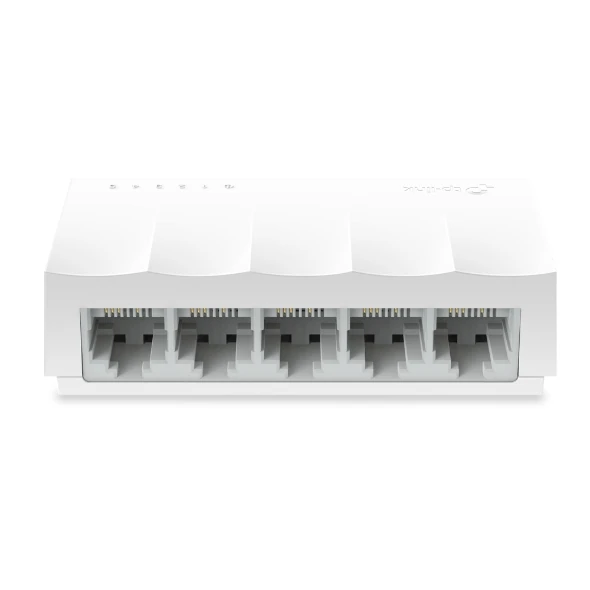
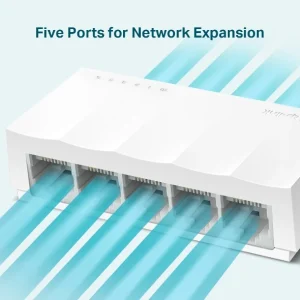
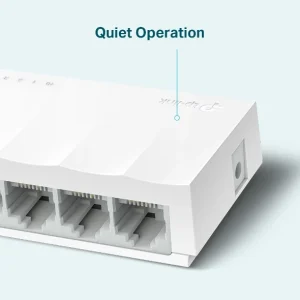
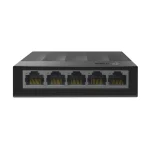
TP-Link LS1005 Desktop Switch 5-Port 10/100Mbps
₨2399.00
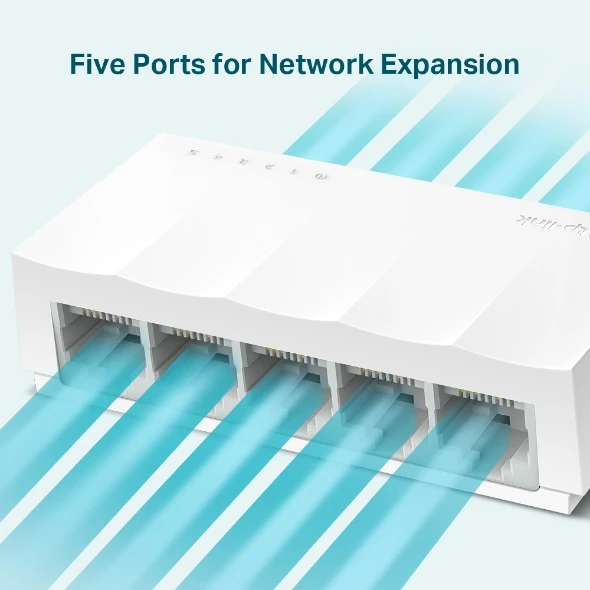
- 5 × 10/100 Mbps RJ45 ports — add wired connections for PCs, printers, smart TVs and CCTV recorders
- Plug-and-play unmanaged switch — no setup, no software, works the moment it is powered on
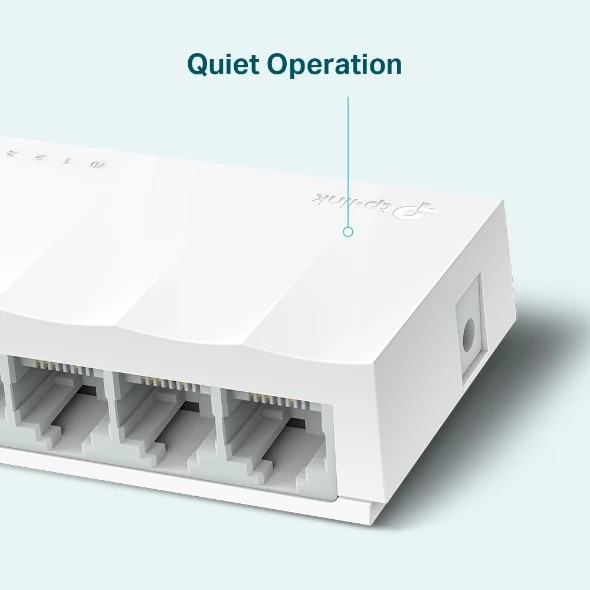
- Fanless and silent with Green Ethernet — draws at most 1.65 W, so it costs almost nothing to run
- Compact desktop design (83.6 × 45.7 × 22.8 mm) with power adapter included in the box
- Description
- Reviews (0)
Description
Overview
The TP-Link LS1005 is a five-port desktop switch built for one straightforward job: giving a home or small office more wired network ports without any setup. It is part of TP-Link’s LiteWave range of unmanaged switches: no software to install, no web page to log into, no settings to get wrong. Each of the five RJ45 ports runs at 10/100 Mbps, and the switch moves traffic between them with a 1 Gbps switching capacity, so a PC, a printer, a smart TV and a CCTV recorder can all reach the router at once. It is a Fast Ethernet switch, not a gigabit switch — worth saying plainly. Anyone moving large files between computers or running a NAS at full speed should look at a gigabit model instead. But for everyday wired connections — browsing, printing, streaming, a shop’s billing PC, a camera recorder at 100 Mbps — it does the job quietly, draws at most 1.65 W, and at Rs 2,399 it is one of the cheapest ways to fix a shortage of ports. At 83.6 × 45.7 × 22.8 mm it sits beside a router without taking over the desk, and with no fan inside it makes no sound at all.
Key Benefits
The first benefit is the price. At Rs 2,399, the LS1005 costs less than most single network accessories, yet it solves a problem nearly every small network runs into: the router has four LAN ports and the house needs five or six wired devices. Instead of replacing the router, this box adds five ports for less than a family dinner out. The second benefit is that it asks nothing of the installer — plug the power adapter in, connect the router to any port, connect the devices to the rest, and the network simply grows. The third benefit is running cost: a maximum draw of 1.65 W is less than most phone chargers on standby, and Green Ethernet trims that further by cutting power to empty ports. The fourth benefit is silence: no fan, and a small case that stays cool at this power level, so it can sit on a bedroom desk or a reception counter without adding hum. The fifth is the reliability of a simple design — fewer parts, no moving parts, and store-and-forward switching that checks each packet for errors before passing it on.
Features and Advantages
Every port supports Auto-Negotiation and Auto-MDI/MDIX, which means two practical things. First, the switch detects whether a connected device runs at 10 or 100 Mbps and matches it automatically, with nothing to set by hand. Second, any ordinary Ethernet cable works; there is no need for a special crossover cable, and it does not matter which end goes where. Store-and-forward transmission reads each packet and checks it before forwarding, so damaged packets do not spread across the network. IEEE 802.3x flow control and back pressure handle the moments when one device sends faster than another can receive, pausing the sender briefly instead of dropping data. The 2K MAC address table remembers up to 2,000 devices — far more than any home or small shop will connect — and 2 KB jumbo frames help with larger data frames where equipment allows. A 5 VDC / 0.6 A power adapter is included in the box. Front LEDs show power and link/activity at a glance, so a dead cable is obvious in seconds. A spare port can feed a wall-plate access point such as the TP-Link EAP225-Wall Access Point AC1200, which takes its wired connection from the switch and turns it into wireless coverage for the room.
Ideal Users
The LS1005 fits homes where the router’s ports have run out — a desktop PC, a printer, a smart TV and a gaming console, for example. It fits small offices and shops where a billing computer, a printer and a CCTV recorder all need a wired connection that does not drop the way Wi-Fi sometimes does. It fits a small camera system, since most budget DVRs and NVRs connect at 100 Mbps and need only a stable port each. It does not fit video editing to a NAS, or a household copying large files between computers daily — those jobs need a gigabit switch feeding a wall-plate access point such as the TP-Link EAP235-Wall AC1200 Wall Plate Access Point. The rule is simple: for browsing, email, printing, streaming and basic office work, the LS1005 is enough; for daily large file transfers, spend the extra on gigabit.
Technical Specifications
| Specification | Details |
|---|---|
| Model | TP-Link LS1005 (LiteWave) |
| Ports | 5 × 10/100 Mbps RJ45, Auto-Negotiation, Auto-MDI/MDIX |
| Switching Capacity | 1 Gbps |
| Packet Forwarding Rate | 0.7 Mpps |
| MAC Address Table | 2K |
| Jumbo Frame | 2 KB |
| Standards | IEEE 802.3i, IEEE 802.3u, IEEE 802.3x |
| Transmission Method | Store and Forward |
| Features | Green Ethernet, 802.3x flow control, back pressure |
| Fan | Fanless (silent) |
| Power Supply | External power adapter 5 VDC / 0.6 A (included) |
| Max Power Consumption | 1.65 W |
| Dimensions | 83.6 × 45.7 × 22.8 mm |
| Mounting | Desktop only (no wall-mount) |
| Operating Temperature | 0–40 °C |
| Operating Humidity | 10–90% RH, non-condensing |
| Storage Temperature | −40–60 °C |
| Certifications | CE, FCC |
| In the Box | Switch, power adapter, installation guide |
FAQs
Is the LS1005 a gigabit switch?
No. Its five ports run at 10/100 Mbps (Fast Ethernet), with 1 Gbps switching capacity in total. If every device needs gigabit speed — for a NAS or large file transfers — choose a gigabit switch such as the TP-Link LS1005G instead.
Do I need to configure anything before using it?
No. It is unmanaged and plug-and-play: connect the power adapter, run one cable from your router to any port, and plug your devices into the rest. There is no software, no login page and no settings to change.
Can I wall-mount the LS1005?
No — the official specification lists it as desktop only, with no wall-mounting holes. The gigabit LS1005G and LS1008G do support wall mounting.
How much electricity does it use?
At most 1.65 W, and usually less — Green Ethernet cuts power to empty ports. Left on around the clock, it adds a negligible amount to an electricity bill.
Can I connect a Wi-Fi access point to it?
Yes. Any port can feed an access point: the TP-Link EAP225 AC1350 Ceiling Access Point takes its wired connection from the LS1005 and provides Wi-Fi for a room or office floor — keeping in mind the link runs at 100 Mbps.
Why Buy From NexGenShop.pk?
Buying a small switch should be simple and low-risk, and that is how NexGenShop.pk treats it. The price is stated plainly — Rs 2,399, regular price, with no inflated “before” price. The product shipped is the TP-Link LS1005 as specified, with the power adapter and installation guide in the box, and the specifications above come from TP-Link’s own datasheet — including the honest limit that this is a 10/100 switch and not a gigabit one. Unsure whether Fast Ethernet is enough? A short message on Facebook or Instagram gets a straight answer before you order, not a sales pitch. Orders are packed and dispatched promptly across Pakistan.
Final Conclusion
The TP-Link LS1005 does a small job well. It adds five wired ports to a home or small office network, needs no setup, makes no noise, and draws almost no power. It is not the fastest switch TP-Link makes, and it does not pretend to be — its 10/100 Mbps ports suit browsing, printing, streaming and basic office work, and the Rs 2,399 price reflects that honestly. If your network needs more ports rather than more speed, this is the sensible, no-fuss choice. Order from NexGenShop.pk today and have the extra ports working within minutes of opening the box.




Reviews
There are no reviews yet.