

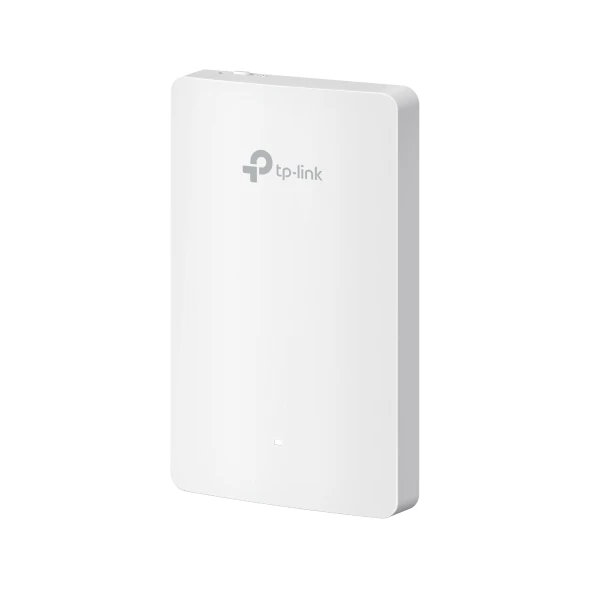
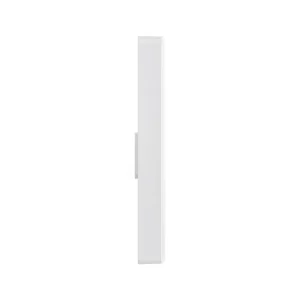
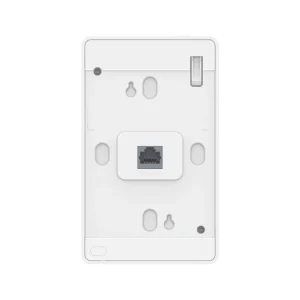
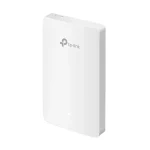
TP-Link EAP225-Wall Access Point AC1200
₨14999.00
- Wall-plate WiFi 5 access point that fits a standard wall Ethernet jack — one private network per room
- Dual-band AC1200 WiFi: up to 300 Mbps on 2.4 GHz and 867 Mbps on 5 GHz, with 2×2 MU-MIMO
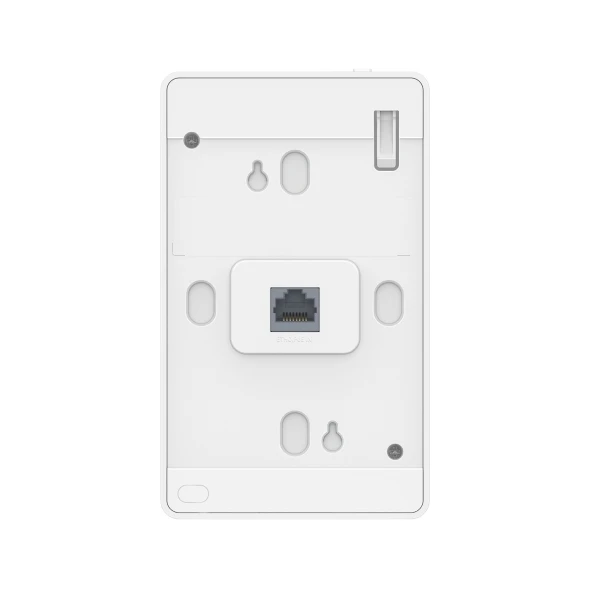
- 4 x 10/100 Mbps Ethernet ports (1 uplink + 3 downlink) for a TV, phone, or desktop in the room
- Powered by PoE (802.3af/at) and managed centrally through Omada — no separate power adapter in the box
- Description
- Reviews (0)
Description
Overview
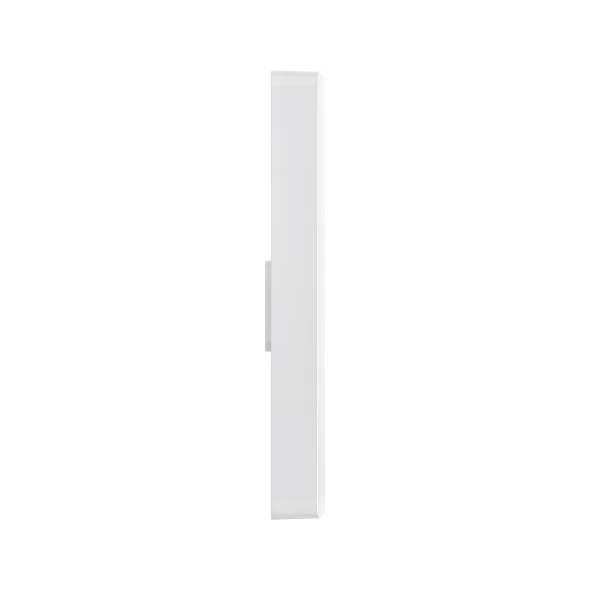
The TP-Link EAP225-Wall Access Point puts WiFi into a single room, from the Ethernet point already in the wall. It is a rectangular wall-plate unit, 143 x 86 x 19.7 mm, that screws onto an 86 mm, EU, or US junction box.
Plug the room’s Ethernet cable into its uplink port and it broadcasts dual-band WiFi in that room. The three other ports stay free for a smart TV, an IP phone, or a desktop.
There are two very different products called EAP225, and most search results mix them up. The ceiling EAP225 is round, AC1350, with one Gigabit port and a PoE adapter in the box. The EAP225-Wall here is rectangular, AC1200, with four 10/100 Mbps ports and no PoE adapter.
It is an access point only, not a router. It needs an upstream router and a PoE switch or injector to power on.
Key Benefits
The main benefit is control, room by room. In a hotel, each guest room can have its own SSID and wired ports. In a hospital ward or a school, each room can be set up and changed from one place.
The second benefit is tidiness. No extra box on a desk, no power brick, no cable across the floor. The unit sits flat on the wall and draws power through the same Ethernet cable.
The third benefit is that wired devices keep working. A TV, a desk phone, or a terminal can use the three downlink ports. Through Omada you can change SSIDs, set a captive portal, and push the same settings to every room at once.
Features and Advantages
It works on WiFi 5, IEEE 802.11ac Wave 2, with 2×2 MU-MIMO: up to 300 Mbps on 2.4 GHz and up to 867 Mbps on 5 GHz, marketed as AC1200. Its two internal antennas are rated 2 x 3 dBi on 2.4 GHz and 2 x 4 dBi on 5 GHz, with beamforming, band steering, auto channel selection, and QoS (WMM).
It can broadcast up to 16 SSIDs, eight per band, each with its own VLAN. SSID-to-VLAN mapping, client isolation, MAC filtering, and rogue AP detection are supported. Security is WPA/WPA2-Enterprise and WPA-PSK/WPA2-PSK, with WEP and 802.1X. There is no WPA3 on this model.
For power, it takes PoE in, 802.3af/at, through its uplink port. One downlink port can pass PoE out, but only with 802.3at PoE+ input, and only up to 13 W. Power use is 9 W, or 25.5 W with PoE out in use. Management is through Omada — the App, a controller such as the OC200 or OC300, the Software Controller, or Cloud Access, which still needs a controller — plus web HTTP/HTTPS, SNMP, SSH, and L3 management.
For ceiling coverage in a large open area, see the TP-Link EAP723 BE5000, the TP-Link EAP225 AC1350, and the TP-Link EAP723 BE5000 Wi-Fi 7.
Ideal Users
This fits best where rooms already have Ethernet in the wall and each room needs its own WiFi: hotels and guest houses, one unit per room; hospitals and schools, where rooms can be set up the same way and changed centrally; and offices with small meeting rooms.
It is not right for a large open hall or lobby, where one ceiling access point covers the space far better. It is not right if you need Gigabit backhaul — its ports are 10/100 Mbps only. It is not a WiFi 6 access point, not for outdoor use, and not a home router.
Technical Specifications
| Specification | Details |
|---|---|
| Model | TP-Link EAP225-Wall |
| WiFi Standard and Speed | WiFi 5, IEEE 802.11ac Wave 2, 2×2 MU-MIMO; up to 300 Mbps on 2.4 GHz + 867 Mbps on 5 GHz, marketed as AC1200 |
| Antennas | 2 dual-band internal, 2.4 GHz 2 x 3 dBi, 5 GHz 2 x 4 dBi |
| Ethernet Ports | 4 x 10/100 Mbps, 1 uplink + 3 downlink — Fast Ethernet only, not Gigabit |
| PoE In and Out | PoE in 802.3af/at; PoE out on one downlink port only, with 802.3at PoE+ input, maximum 13 W |
| Power Consumption | 9 W, 25.5 W with PoE out in use |
| Clients and SSIDs | 200+ concurrent clients; 16 SSIDs, 8 per band |
| Wireless Functions | Auto channel, power control, QoS (WMM), load balance, rate limit, schedule, band steering, beamforming, MU-MIMO |
| Security | Captive portal, access control, MAC filtering, client isolation, SSID-to-VLAN, 802.1X, WEP, WPA/WPA2-Enterprise, WPA-PSK/WPA2-PSK — no WPA3 |
| Management | Omada App, Controller OC200/OC300, Software Controller, Cloud Access (needs a controller), web HTTP/HTTPS, SNMP, SSH, L3, multi-site |
| Mounting and Dimensions | Wall-plate, fits 86 mm, EU, and US junction boxes; 143 x 86 x 19.7 mm; security lock, reset button |
| Operating Conditions | 0 to 40 degrees C, 10 to 90 percent humidity; CE, FCC |
| In the Box | Access point, installation guide, mounting screw only — no PoE adapter, power adapter, or Ethernet cable |
FAQs
Is the EAP225-Wall a router?
No. It is an access point only. It turns an existing wired network into WiFi in one room. You still need a router, and a PoE switch or injector to power it.
Is it Gigabit?
No. All four Ethernet ports are 10/100 Mbps, Fast Ethernet only. If you need a Gigabit wired backhaul, this model will limit that connection to 100 Mbps. The ceiling EAP225 is the one with a Gigabit port — this wall model is not.
Can it power another device through PoE?
Yes, one device, with limits. One downlink port can pass PoE out, but only if the unit is powered by 802.3at PoE+ input, and only up to 13 W. With standard 802.3af PoE, PoE out is not available.
Do I need an Omada controller?
Not for one unit alone — set it up through the web interface. You do need a controller, such as the OC200 or OC300 or the Software Controller, for central management: one dashboard for many access points and the same settings pushed to every room.
Is this model still current?
Honestly, no — not as the latest model. TP-Link UK and the Omada listings show this model as End of Life, with the EAP235-Wall named as the replacement. The US TP-Link page is still live and does not carry the same label. Before ordering, confirm the hardware version and stock with NexGenShop.pk.
Why Buy From NexGenShop.pk?
This is a model that is easy to get wrong — wall versus ceiling, Fast Ethernet versus Gigabit, PoE in versus PoE out — so buy from a seller who lists the exact model and will confirm the hardware version before dispatch. NexGenShop.pk lists this as the TP-Link EAP225-Wall Access Point AC1200 at Rs 14,999.
If you are unsure whether this wall model or a ceiling model fits, or whether you need a PoE switch or a controller, ask before you order. You can reach NexGenShop.pk on Facebook at https://www.facebook.com/nexgenshop.pk and on Instagram at https://www.instagram.com/nexgenshoppk.
Final Conclusion
The EAP225-Wall is a straightforward access point for one room at a time. It fits a standard wall box, gives dual-band AC1200 WiFi and three wired ports, runs on PoE, and can be managed centrally through Omada.
It is not fast on the wire — its ports are 10/100 Mbps — it is not WiFi 6, it is not a router, and it is not the newest wall model. If you need per-room WiFi and you already have Ethernet in the walls, it does that job well. If you need Gigabit backhaul or open-hall coverage, look at a ceiling WiFi 6 or WiFi 7 model instead.





Reviews
There are no reviews yet.