

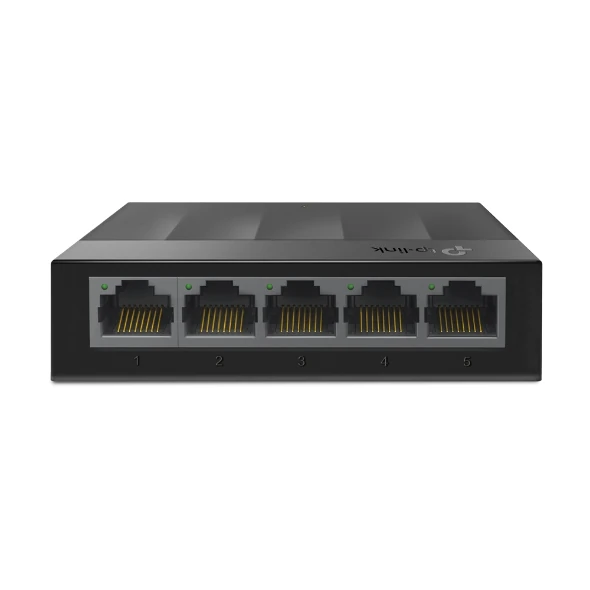
TP-Link LS1005G Gigabit Switch 5-Port
₨4700.00
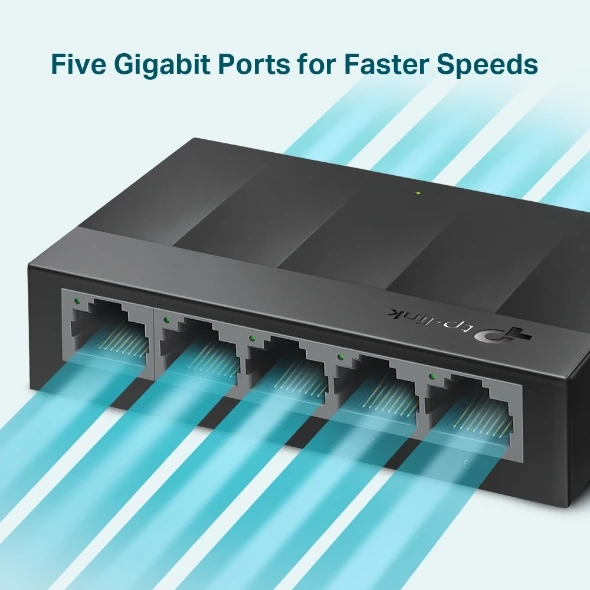
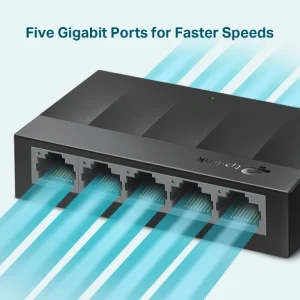
- 5 × 10/100/1000 Mbps Gigabit RJ45 ports — full gigabit speed on every port for fast file transfers
- 10 Gbps switching capacity with 7.4 Mpps forwarding — keeps up with NAS, PCs and 4K streaming
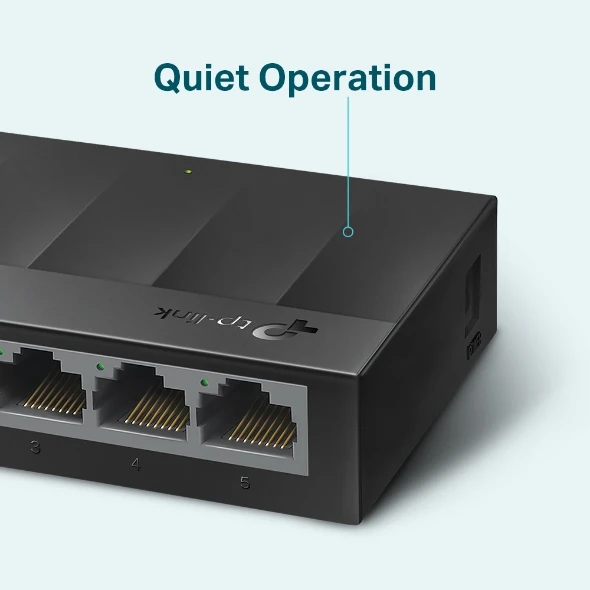
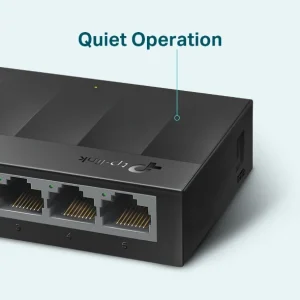
- Fanless, silent and energy-efficient — draws at most 3.7 W and runs cool without a fan
- Desktop or wall-mountable with a 5 VDC power adapter included in the box
- Description
- Reviews (0)
Description
Overview
The TP-Link LS1005G is the gigabit version of TP-Link’s smallest desktop switch, and the difference from its Fast Ethernet twin is the whole point of the product. Every one of its five RJ45 ports runs at 10/100/1000 Mbps, with 10 Gbps capacity — ten times the headroom of the non-gigabit LS1005, which tops out at 100 Mbps per port. That changes what the switch is good for. A PC can copy files to a NAS at real gigabit speed, two computers can move large video files without the switch becoming the bottleneck, and a 4K stream, a video call and a cloud backup can run on different ports at once. It is part of TP-Link’s LiteWave range, so it is unmanaged and plug-and-play: no software, no web interface, nothing to configure. Fanless, it makes no sound and draws at most 3.7 W. At 90 × 72 × 23 mm it sits beside a router, and unlike the LS1005 it can also be wall-mounted, using holes spaced 38 mm apart. At Rs 4,700 it costs roughly twice the Fast Ethernet model — money well spent where the network carries large files.
Key Benefits
The first benefit is speed: gigabit on all five ports means the switch never forces a fast device to slow down. A laptop, a desktop PC, a NAS, a smart TV streaming 4K — each gets the full 1,000 Mbps of its own port, and the 10 Gbps capacity means several can run at full speed at once. The second benefit is the price: at Rs 4,700, a five-port gigabit switch is within reach of a home or small shop. The third benefit is silence: no fan, and at 3.7 W maximum the little case stays cool on its own, so it can sit on a bedroom desk or reception counter without adding hum. The fourth benefit is that it asks nothing of the installer — plug the included 5 VDC / 0.6 A adapter in, connect the router to any port, connect the devices to the rest, and the network is done. The fifth is flexibility of placement: wall-mounting holes mean it can also go on the wall behind a desk or inside a cabinet, keeping cables short and the desk clear. Green Ethernet trims power by cutting supply to empty ports, so leaving it on costs almost nothing.
Features and Advantages
Every port supports Auto-Negotiation and Auto-MDI/MDIX: the switch detects whether a device runs at 10, 100 or 1,000 Mbps and matches it automatically, and any standard Ethernet cable works in either direction — no crossover cable. Store-and-forward switching reads each packet and checks it before passing it on, stopping damaged packets from spreading. IEEE 802.3x flow control and back pressure pause a sender briefly when it outruns the receiver, instead of dropping data. The 2K MAC table remembers up to 2,000 devices, and the 1.5 Mb buffer holds traffic briefly when several ports send at once. Jumbo frames up to 16 KB help when connected equipment such as a NAS is set up to use them. A 5 VDC / 0.6 A adapter is included, and status LEDs show power and link/activity at a glance, so a dead cable is obvious in seconds. A spare port can feed a modern access point such as the TP-Link EAP655-Wall Access Point AX3000 WiFi 6, turning a gigabit wired connection into fast Wi-Fi 6 for the room.
Ideal Users
The LS1005G fits a home where the family’s devices have outgrown the router’s four ports and one of them needs real speed — a PC backing up to a NAS, a laptop editing video from a shared drive, a TV streaming 4K while someone else is on a video call. It fits a small office where two or three computers share files daily and a 100 Mbps link is no longer acceptable. It fits a small shop where the billing PC, CCTV recorder and printer share one switch. It also fits anyone buying once and not wanting to buy twice: the step up from the Fast Ethernet LS1005 costs about Rs 2,300 extra and removes the speed limit entirely. It does not fit a network with more than five wired devices — that needs an eight-port switch — and it does not supply PoE, so a PoE access point or camera still needs its own adapter or a PoE switch.
Technical Specifications
| Specification | Details |
|---|---|
| Model | TP-Link LS1005G (LiteWave) |
| Ports | 5 × 10/100/1000 Mbps RJ45, Auto-Negotiation, Auto-MDI/MDIX |
| Switching Capacity | 10 Gbps |
| Packet Forwarding Rate | 7.4 Mpps |
| MAC Address Table | 2K |
| Packet Buffer | 1.5 Mb |
| Jumbo Frame | 16 KB |
| Standards | IEEE 802.3i, IEEE 802.3u, IEEE 802.3ab, IEEE 802.3x |
| Transmission Method | Store and Forward |
| Features | Green Ethernet, 802.3x flow control, back pressure |
| Fan | Fanless (silent) |
| Power Supply | External power adapter 5 VDC / 0.6 A (included) |
| Max Power Consumption | 3.7 W |
| Dimensions | 90 × 72 × 23 mm |
| Mounting | Desktop or wall-mount (mounting holes 38 mm apart) |
| Operating Temperature | 0–40 °C |
| Operating Humidity | 10–90% RH, non-condensing |
| Storage Temperature | −40–60 °C |
| Certifications | CE, FCC |
| In the Box | Switch, power adapter, installation guide |
FAQs
What is the difference between the LS1005G and the LS1005?
Speed. The LS1005G has five gigabit ports and a 10 Gbps switching capacity; the LS1005 has five 10/100 Mbps ports and 1 Gbps. The LS1005G is also slightly larger and wall-mountable, which the LS1005 is not. If large file transfers matter, buy the LS1005G.
Do I need to configure the LS1005G?
No. It is unmanaged and plug-and-play: connect the adapter, run a cable from your router to any port, plug your devices into the rest. No software, no settings page.
Can I mount it on a wall?
Yes — wall-mounting holes spaced 38 mm apart let it go on the wall behind a desk or inside a cabinet, as well as on a desktop.
Will it work with my existing 10/100 devices?
Yes. Each port auto-negotiates, so an older printer at 100 Mbps and a gigabit PC at 1,000 Mbps work side by side. Nothing needs to be set manually.
Can I connect a Wi-Fi access point to this switch?
Yes, and it is a good pairing: a gigabit port feeding a ceiling access point such as the TP-Link EAP225 AC1350 Ceiling Access Point gives it the full wired speed it needs, and a wall-plate unit like the TP-Link EAP235-Wall works the same way. Note the LS1005G does not supply PoE, so the access point needs its own adapter or injector.
Why Buy From NexGenShop.pk?
A gigabit switch is bought once and forgotten for years, so buy it from a store that states the facts plainly. NexGenShop.pk lists the LS1005G at Rs 4,700 as a regular price, with no inflated “before” price, and the specifications above come from TP-Link’s own datasheet — including the clear distinction from the cheaper Fast Ethernet LS1005, so you buy the right switch the first time. The box contains the switch, the 5 VDC adapter and the installation guide, exactly as TP-Link ships it. Torn between the LS1005 and the LS1005G, or five ports and eight? A quick message on Facebook or Instagram gets a straight answer based on how you use your network. Orders are packed and dispatched promptly across Pakistan.
Final Conclusion
The TP-Link LS1005G is the sensible gigabit upgrade for a home or office that has outgrown its router’s ports and the 100 Mbps limit. Five gigabit ports, 10 Gbps, silent fanless operation, wall-mounting, at most 3.7 W — all for Rs 4,700, with nothing to configure. If your network carries large files, a NAS or 4K streams, this box removes the switch from the list of things slowing you down. Order from NexGenShop.pk today and have full gigabit speed on five ports within minutes.




Reviews
There are no reviews yet.