

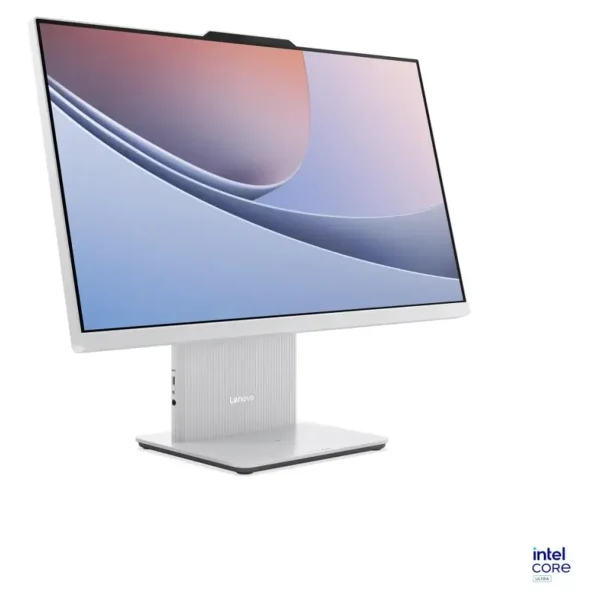
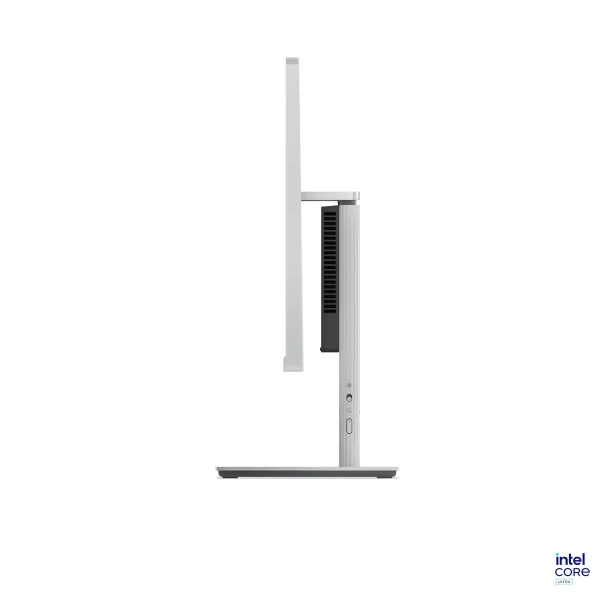
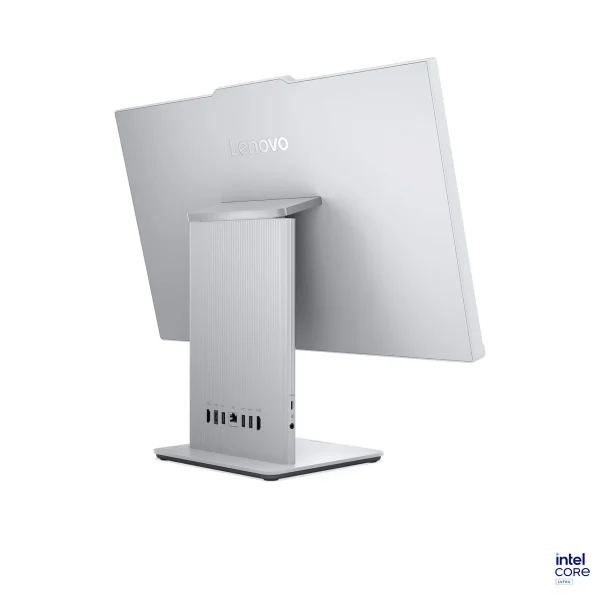
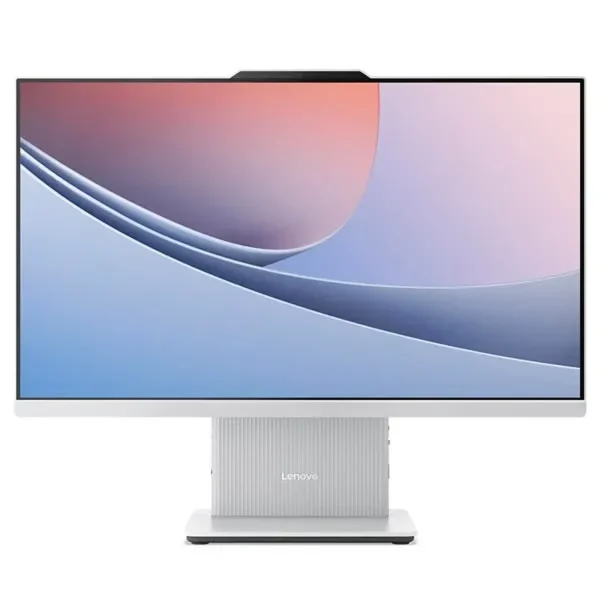
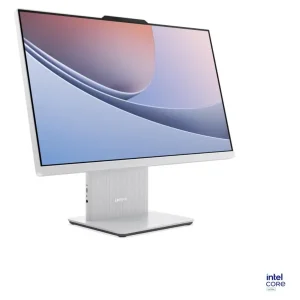
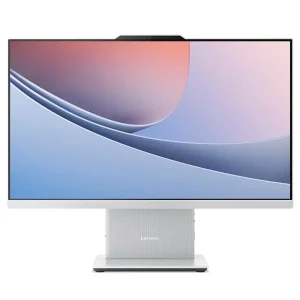
Lenovo IdeaCentre 24ILL11 Touch AIO Ultra 7 16GB
₨349999.00
- 10-point multi-touch 23.8″ FHD IPS display, 100 Hz, 99% sRGB, anti-glare
- Latest Intel Core Ultra 7 256V with 47 TOPS AI Boost for on-device AI
- 16 GB soldered LPDDR5X memory and 512 GB PCIe 4.0 NVMe SSD
- 5 MP camera with privacy switch, Harman speakers, keyboard and mouse included
- Description
- Reviews (0)
Description
Overview
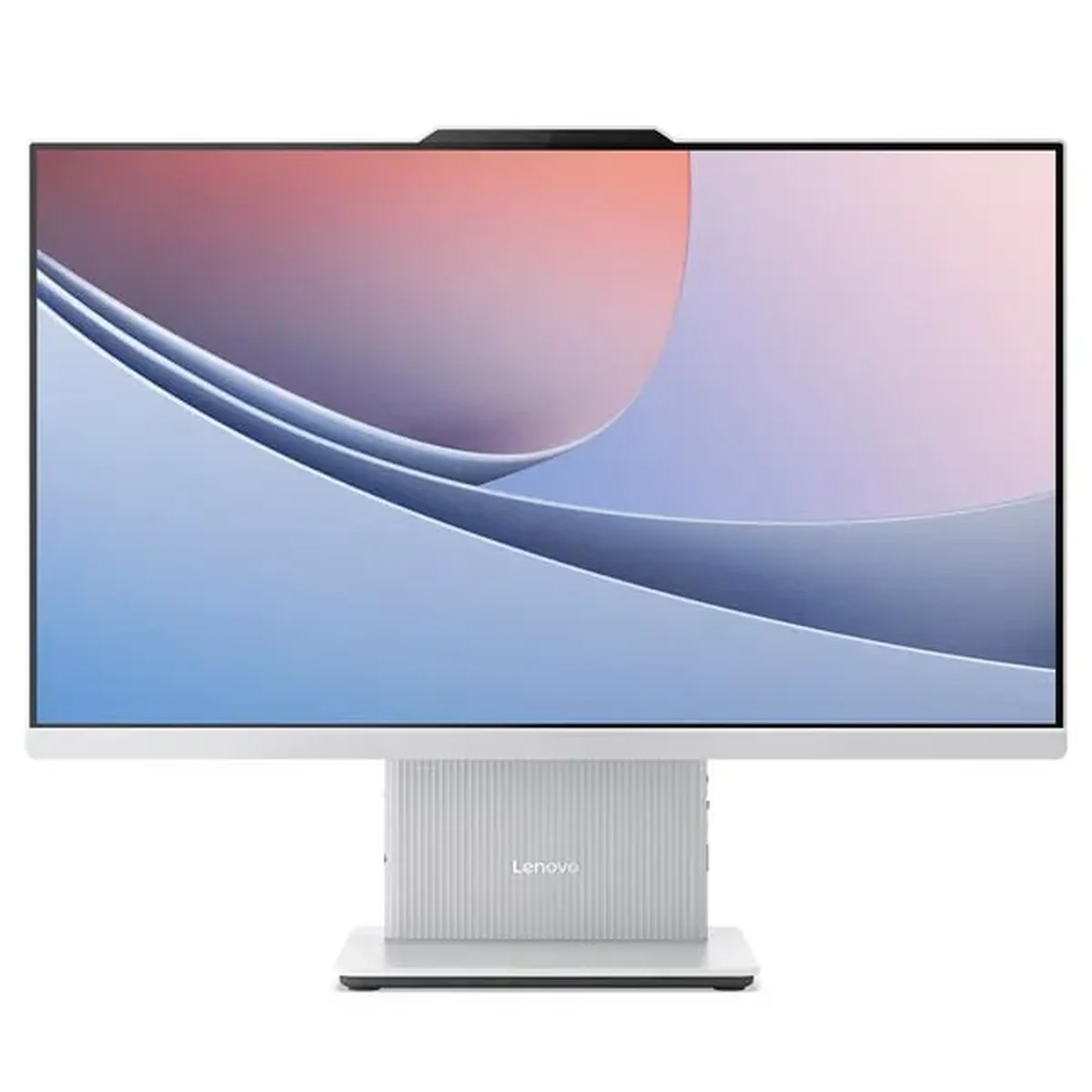
The Lenovo IdeaCentre 24ILL11 Touch is the same all-in-one computer as the non-touch 24ILL11, with one difference that changes how you use it: the screen responds to your fingers. It is a 10-point multi-touch panel, so you can tap, swipe, scroll and pinch directly on Windows 11 — no mouse required for the everyday things.
That sameness is the point. You are not paying for a different computer; you are paying for a different way of using the same computer. The touch panel turns the 23.8-inch screen into something you interact with directly, which suits a reception desk, a shop counter, a classroom or a family kitchen far better than a keyboard and mouse alone. Inside is Intel’s current Lunar Lake platform: a Core Ultra 7 256V with eight cores, Intel Arc 140V graphics and an AI engine rated at up to 47 TOPS. The display is a 23.8-inch Full HD IPS panel with a 100 Hz refresh rate, 250 nits of brightness and 99% sRGB colour, and Windows 11 Home comes pre-installed.
Key Benefits
The first benefit is the touch screen itself. A 10-point multi-touch panel means Windows 11 behaves the way people already use their phones: tap an app to open it, swipe through photos, pinch to zoom into a document, scroll a page with a finger. For a reception desk or a shop counter, a visitor can use the screen without being shown how.
The second benefit is that touch makes the machine usable without a mouse. The keyboard and mouse are still in the box, but for quick tasks — checking a booking, showing a photo, running a presentation — the screen alone is enough. That matters in places where a mouse would be awkward: a clinic counter, a tuition centre, a kitchen.
The third benefit is the platform underneath. The Core Ultra 7 256V, the 47 TOPS AI engine and the Arc 140V graphics are the same as on the non-touch model, so nothing is given up for the touch panel. The 100 Hz display is just as smooth, and the 99% sRGB colour is just as accurate.
Features and Advantages
The touch panel is the headline, and it is worth being precise about it. It is a 10-point multi-touch screen, which means it tracks up to ten fingers at once — enough for gestures, for a child using both hands, and for two people pointing at a map or a photo together. The panel is a 23.8-inch Full HD IPS display at 1920 x 1080, with 250 nits of brightness, a 1300:1 contrast ratio, 99% sRGB coverage, a 100 Hz refresh rate and hardware low blue light.
The processor is the Intel Core Ultra 7 256V: eight cores and eight threads, up to 4.8 GHz, a 12 MB Intel Smart Cache, and integrated Intel Arc Graphics 140V. Memory is 16 GB of soldered LPDDR5X-8533, and storage is a 512 GB M.2 2280 PCIe 4.0 NVMe SSD. The memory is soldered to the board and cannot be upgraded, so 16 GB is the permanent configuration — the right amount for office work, study and everyday computing, and something to know before ordering rather than after.
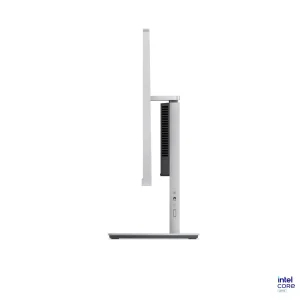
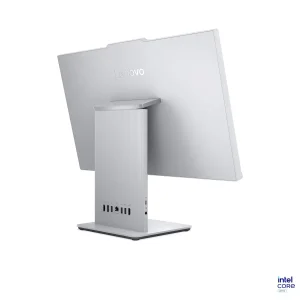
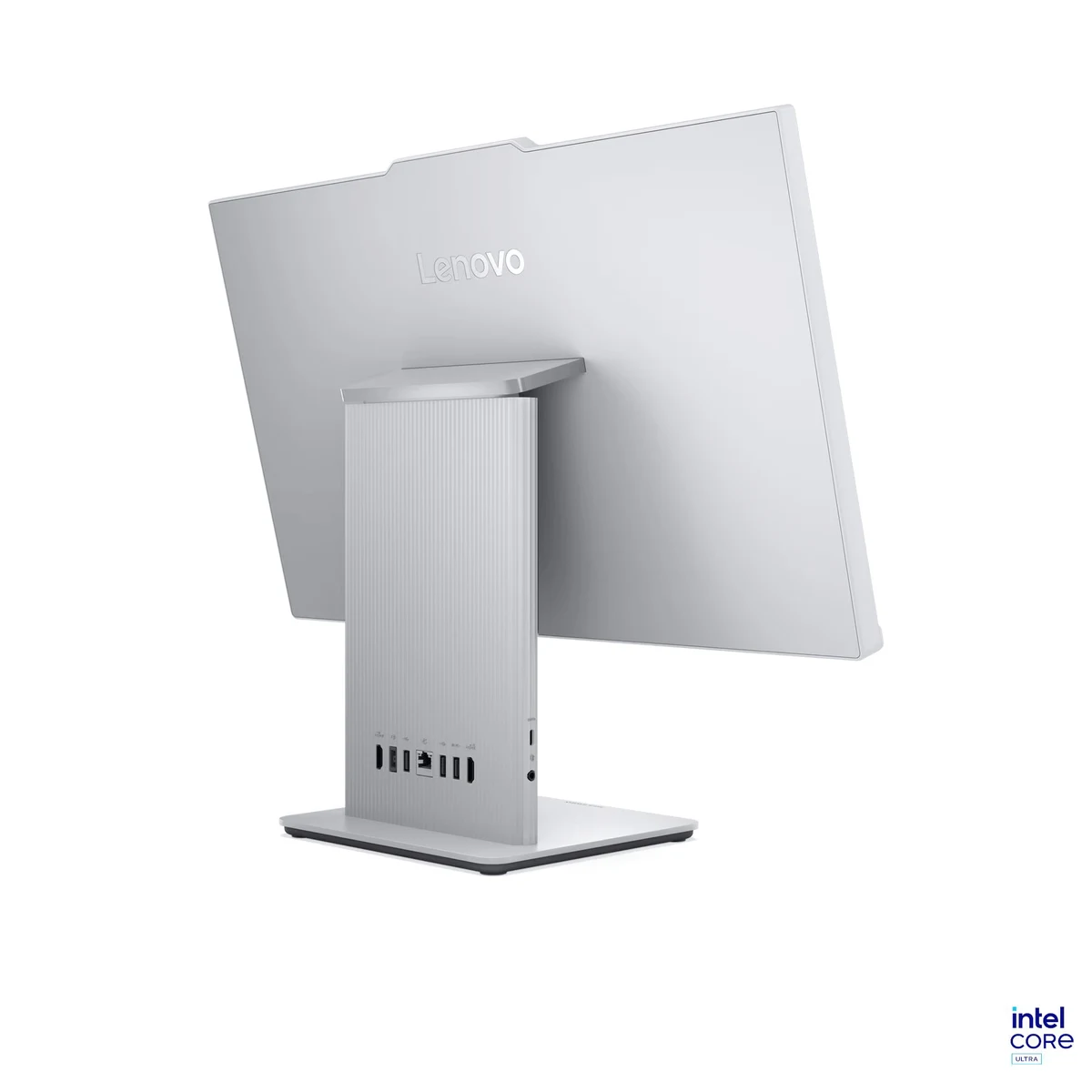
Connectivity matches the non-touch model exactly. The rear carries a 10 Gbps USB-A port, two USB 2.0 ports, an HDMI 2.1 output, an HDMI input, a Gigabit Ethernet port and the power connector. The right side adds a 10 Gbps USB-C port and a 3.5 mm headphone and microphone combo jack. Wireless is Wi-Fi 6 with Bluetooth 5.3, and a firmware TPM 2.0 is built into the processor for Windows 11 security. There is no card reader.
Ideal Users
Reception desks, clinics, shops and kiosks will get the most out of this machine. A visitor taps the screen to check in, browse a catalogue or fill in a form — no mouse to lose, no keyboard to clean, no training needed. The touch screen is the reason this configuration exists.
Home offices that like touch are the third group. Windows 11 gestures — swiping between desktops, pinching to zoom, scrolling with a finger — feel natural on a 23.8-inch screen, and the machine is otherwise a full desktop PC. If the budget is tighter and touch still matters, the Dell OptiPlex 7460 Touch AiO is an older touch all-in-one at a much lower price, and the HP ProOne 400 G3 Touch AiO is the most affordable touch option in the range.
Technical Specifications
| Specification | Details |
|---|---|
| Model | Lenovo IdeaCentre AIO 24ILL11 (touch-screen configuration) |
| Processor | Intel Core Ultra 7 256V, 8 cores (4P + 4LPE) / 8 threads, up to 4.8 GHz, 12 MB Intel Smart Cache |
| NPU / AI | Intel AI Boost up to 47 TOPS (Copilot+ PC class) |
| Memory | 16 GB soldered LPDDR5X-8533, not upgradable |
| Storage | 512 GB SSD M.2 2280 PCIe 4.0×4 NVMe |
| Graphics | Integrated Intel Arc Graphics 140V |
| Display | 23.8″ FHD (1920×1080) IPS, 250 nits, 100 Hz, 99% sRGB, anti-glare, 3-side borderless, hardware low blue light; 10-point multi-touch |
| Contrast ratio | 1300:1 |
| Touch | 10-point multi-touch, finger touch; pen/stylus not supported |
| Camera | 5.0 MP, fixed focus; dual-microphone array; camera privacy switch |
| Audio | 2x 3 W HARMAN stereo speakers; Realtek ALC233 HD audio |
| Wi-Fi / Bluetooth | Wi-Fi 6 (802.11ax) 2×2 + Bluetooth 5.3; Gigabit Ethernet (RJ-45) |
| Rear ports | 1x USB-A 10 Gbps, 2x USB-A 2.0, 1x HDMI 2.1 out, 1x HDMI-in, 1x Ethernet (RJ-45), 1x power connector |
| Right ports | 1x USB-C 10 Gbps, 1x headphone/microphone combo jack (3.5 mm) |
| Card reader | None |
| Operating system | Windows 11 Home |
| Colour | Cloud Grey |
| Dimensions | 539.5 x 192.1 x 431.17 mm |
| Weight | Around 6.0 kg (with stand) |
| Bundled accessories | USB Calliope Keyboard + USB Calliope Mouse (Cloud Grey) |
FAQs
What is the difference between this and the non-touch 24ILL11?
Only the screen. This one has a 10-point multi-touch panel; the non-touch model is the same computer with a plain screen. Processor, memory, storage, ports, camera and speakers are identical.
Is the RAM upgradable?
No — the 16 GB LPDDR5X memory is soldered to the board and cannot be upgraded.
Does touch work with a pen?
No. Pen support is listed as not supported in the family specification — this is a finger-touch screen, not a pen digitiser.
Is Windows 11 included?
Yes — Windows 11 Home comes pre-installed, with the Copilot+ class AI features the Core Ultra 7 256V supports. The touch panel is the same quality as the non-touch one — 100 Hz, 250 nits and 99% sRGB on both. If you want a larger non-touch screen instead, the HP EliteOne 800 G5 AiO is a 23.8-inch open-box all-in-one at a lower price.
Why Buy From NexGenShop.pk?
NexGenShop.pk lists the Lenovo IdeaCentre 24ILL11 Touch AIO at Rs 349,999 — the touch configuration with the Core Ultra 7 256V, 16 GB memory and 512 GB SSD, exactly as specified. The listing states the facts plainly: this is the 10-point multi-touch version, pen support is not included, the memory is soldered and cannot be upgraded, and there is no card reader, so there is no surprise after the order arrives. For new stock and offers, follow NexGenShop.pk on Facebook and Instagram.
Final Conclusion
The Lenovo IdeaCentre 24ILL11 Touch is the same strong all-in-one as its non-touch twin, with a screen you can use with your fingers. The 10-point touch panel makes it the right choice for a reception desk, a shop counter, a classroom or a family room — anywhere people walk up to the computer rather than sitting down at it. The Core Ultra 7 256V, the 47 TOPS AI engine, the 100 Hz display and the tidy single-unit design are all there, unchanged. At Rs 349,999 it costs more than the non-touch version, and the only question to settle before ordering is whether you will actually use the touch screen.




Reviews
There are no reviews yet.