

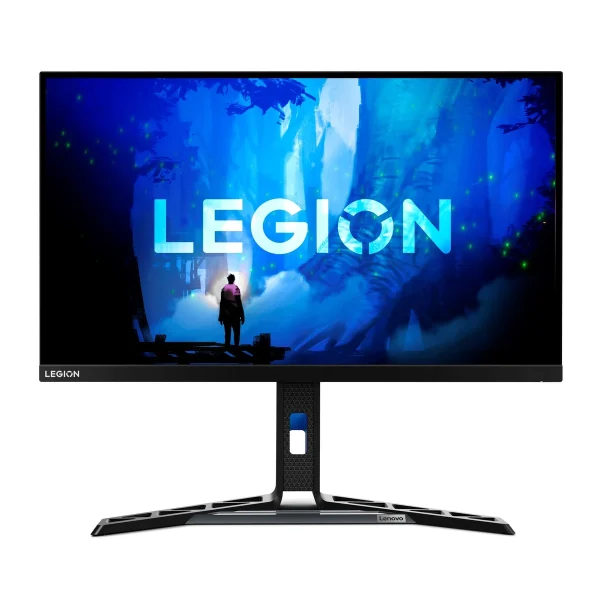
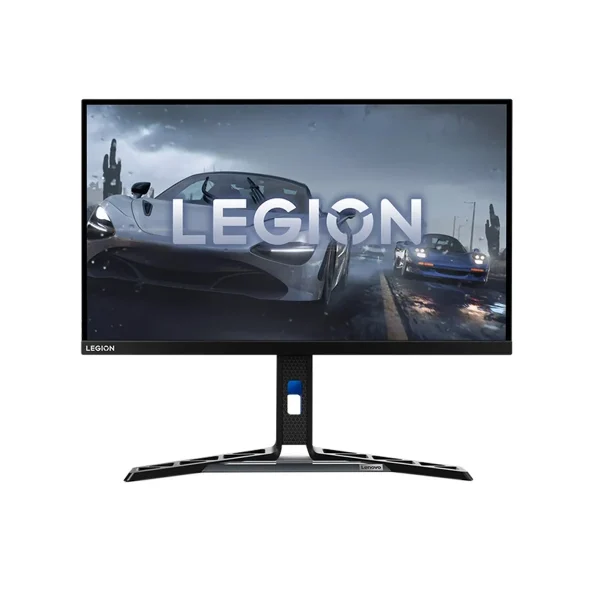
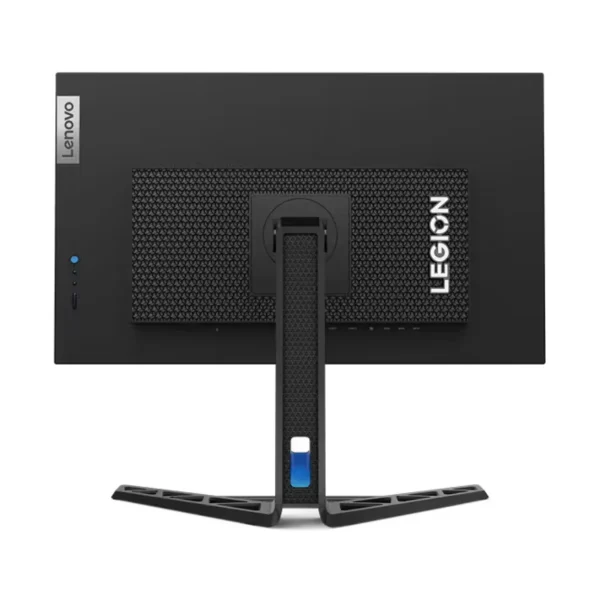
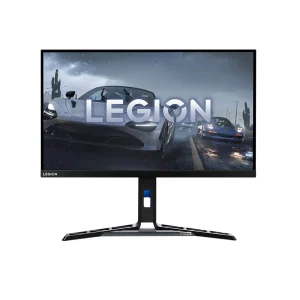
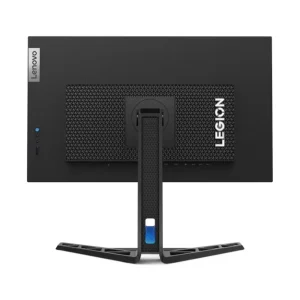
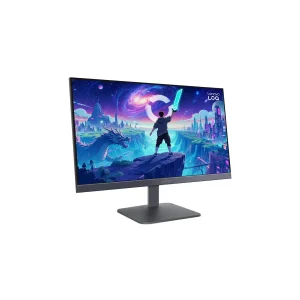
Lenovo Legion Y27-30 27″ FHD 180Hz Gaming Monitor
₨54999.00
- 27-inch FHD IPS gaming monitor, 165Hz native with 180Hz overclock
- 400-nit brightness — the brightest 27-inch FHD panel in this batch
- Built-in USB 3.2 hub with 4 downstream ports for keyboard, mouse and drives
- Built-in 3W x 2 speakers and a full ergonomic stand with 135mm lift
- Description
- Reviews (0)
Description
Overview
The Lenovo Legion Y27-30 is the premium monitor of the 27-inch FHD Legion group — the one for the buyer who wants a clean desk and the brightest screen in the batch. It is a 27-inch FHD IPS gaming monitor that runs at 165Hz natively, with an overclock to 180Hz, and it is worth being clear about that from the start: 165Hz is the guaranteed figure, and 180Hz is the overclock. This listing does not headline it as a native 180Hz monitor, because it is not one.
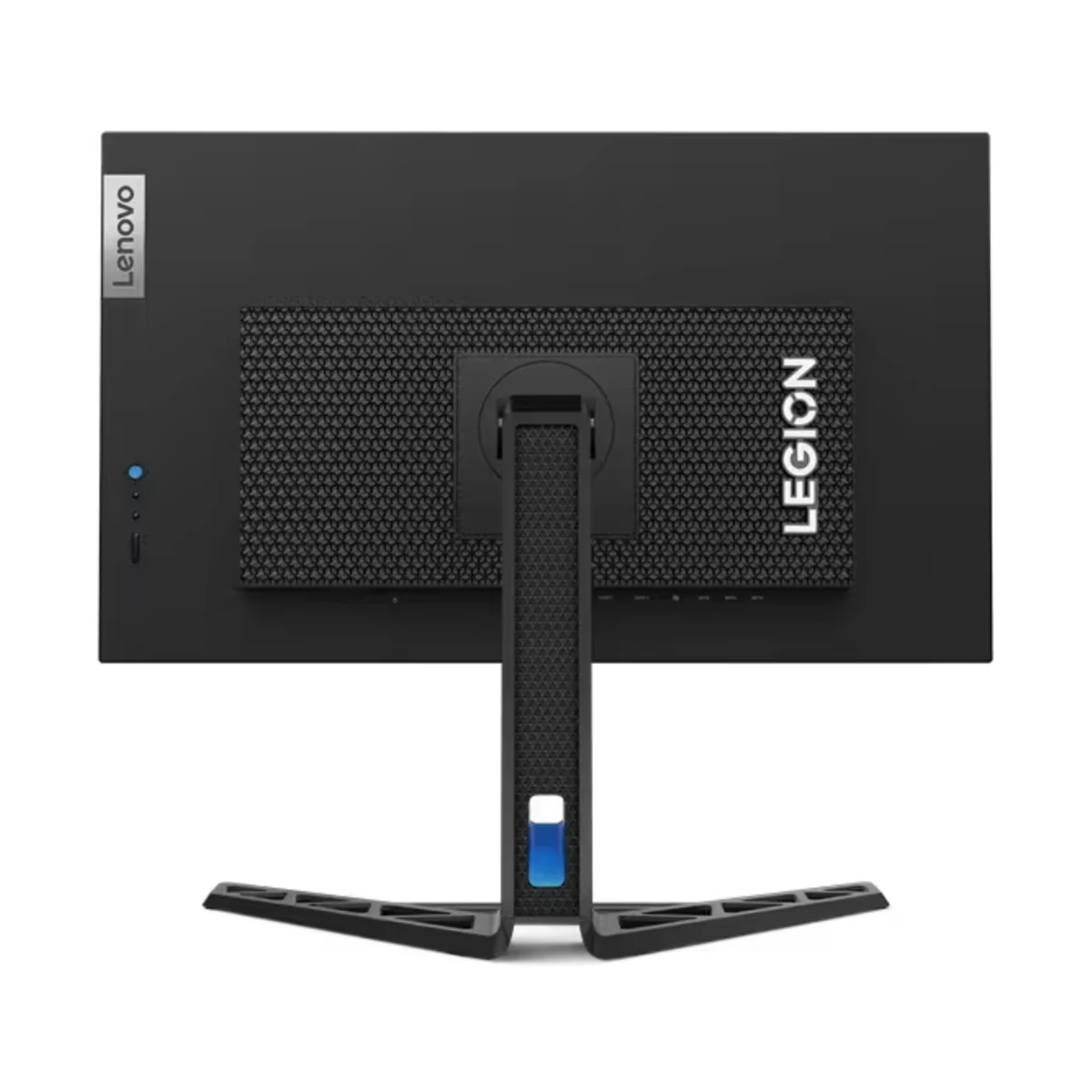
It is everything around the panel. The brightness is 400 nits, the highest of any 27-inch FHD monitor in this batch. There is a built-in USB 3.2 hub with four downstream ports. There are built-in 3W x 2 speakers. And there is a full ergonomic stand with 135mm of height adjustment, tilt, swivel and pivot.
This is the Y27-30, the FHD model. It is not the Y27h-30, which is the QHD (2560 x 1440) version with 95% DCI-P3 and DisplayHDR 400. This model is 1920 x 1080, with HDR10 and no DCI-P3 claim.
Key Benefits
The first benefit is the brightness. At 400 nits, this is the brightest 27-inch FHD panel in this batch — brighter than the R27i-30 at 350 nits, the LOQ and Legion 27-10 at 300 nits, and the R27s at 250 nits.
The second benefit is the USB hub. Four USB 3.2 Gen 1 downstream ports on the monitor, plus one USB-B upstream port to the PC, mean your keyboard, mouse, headset and a drive plug into the monitor and one cable runs to the PC.
The third benefit is the speed with headroom. The 165Hz native refresh with 0.5ms MPRT and 1ms GtG is fast enough for competitive play, and the 180Hz overclock is there when you want a little more.
The fourth benefit is the everyday convenience: built-in speakers and a full ergonomic stand.
Features and Advantages
The IPS panel is the foundation: 27 inches, FHD, WLED backlight, anti-glare coating, 178-degree viewing angles and 99% sRGB colour with 16.7 million colours.
HDR10 is the HDR format here, not DisplayHDR 400. The Y27-30 answers with 400 nits of brightness against the R27i-30’s 350, plus the USB hub the R27i-30 does not have.
The USB hub deserves a closer look, because it is the feature that justifies the price. There are 4x USB 3.2 Gen 1 downstream ports — the kind you plug a keyboard, mouse, headset dongle or external drive into — and one USB-B 3.2 Gen 1 upstream port that connects the hub to the PC. The box includes a USB-A to USB-B cable (1.8m), so the hub works out of the box with nothing extra to buy.
The port layout for video is two HDMI ports and one DisplayPort 1.4, plus a 3.5mm audio-out jack. One flag on the HDMI version: Lenovo’s PSREF port diagram labels the two HDMI ports “HDMI 2.1 TMDS”, while B&H Photo and Genx list them as HDMI 2.0. If the stocked unit shows 2.0, the listing should be corrected to 2.0. The box includes a DP cable (1.8m), the USB cable, a power cable (1.8m), the quick setup guide and the warranty booklet.
Ideal Users
Gamers who want a clean desk will get the most out of the Y27-30. USB hub, built-in speakers and a full ergonomic stand in one monitor mean fewer cables, fewer boxes and fewer things on the desk — and the 400-nit panel and 165Hz refresh mean the gaming itself does not suffer for it.
Hybrid work and gaming users are the second group. One screen for the office day and gaming at night: the USB hub takes the work keyboard and mouse, the speakers handle calls, and the full stand adjusts for a long day.
Streamers and creators are the third group. A 400-nit bright panel with USB ports for capture gear and peripherals, speakers for monitoring, and a stand that lines up with a second screen. For a second screen, the HP EliteDisplay E240 Monitor (Used) sits well beside it. A compact PC to drive the setup is the HP EliteDesk 800 G3 Mini, and the Dell OptiPlex 7460 Touch AiO is the all-in-one option for the same desk.
Technical Specifications
| Specification | Details |
|---|---|
| Model | Lenovo Legion Y27-30 |
| Panel size / type | 27-inch, IPS, WLED backlight, flat, anti-glare |
| Resolution | 1920 x 1080 (FHD), 16:9, 81 dpi |
| Refresh rate | 165Hz native, overclockable to 180Hz |
| Response time | 0.5ms MPRT; 1ms GtG (Level 4), 2ms (Level 3), 3ms (Level 2), 4ms (Level 1), 5ms (Off) |
| Brightness | 400 cd/m² |
| Contrast ratio | 1000:1 typical; 3,000,000:1 dynamic |
| Colour | 99% sRGB; 16.7M colours; 8-bit (DCI-P3 coverage not stated for this model — do not claim it) |
| HDR | HDR10 |
| Sync | AMD FreeSync Premium, Adaptive Sync |
| Ports | 2x HDMI 2.1 TMDS (per PSREF port diagram — see note), 1x DisplayPort 1.4, 1x audio-out (3.5mm) |
| USB hub | 4x USB 3.2 Gen 1 downstream + 1x USB-B 3.2 Gen 1 upstream |
| Audio / speakers | Built-in speakers 3W x 2 |
| Viewing angle | 178° / 178° |
| VESA mount | 100 x 100 mm |
| Stand | Full ergonomic: -5° to +25° tilt, ±30° swivel, -90° to +90° pivot, up to 135mm lift |
| Colour | Raven black |
| Dimensions / weight | Lowest 613.7 x 258.8 x 401.5 mm; highest 613.7 x 258.8 x 536.5 mm; head only 613.7 x 61 x 365.9 mm; 6.4 kg with stand / 4.4 kg head only |
| In the box | Monitor with stand, 1x DP cable (1.8m), 1x USB-A to USB-B cable (1.8m), 1x power cable (1.8m), quick setup guide, warranty booklet |
| Software / extras | Lenovo Artery, Natural Low Blue Light, console support |
| Warranty | 3-year (retailers; PSREF warranty line not in the excerpt reviewed — verify on the stocked unit’s warranty booklet if possible) |
FAQs
Is it 165Hz or 180Hz?
165Hz native; 180Hz is an overclock. State both — do not headline it as a native 180Hz monitor.
What does the USB hub do?
Four USB 3.2 Gen 1 downstream ports (plus one USB-B upstream to the PC) for keyboard, mouse, headset, drives and other peripherals.
Does it have built-in speakers?
Yes — 2x 3W integrated speakers, plus a 3.5mm audio-out jack.
How is it different from the R27i-30?
Brighter (400 vs 350 nits), adds a USB hub, slightly wider tilt range (-5° to +25° vs -5° to +22°), and costs Rs 3,999 more. The R27i-30 has DisplayHDR 400 and 90% DCI-P3; the Y27-30 has HDR10 and no DCI-P3 claim. Pick the Y27-30 for the hub and brightness, the R27i-30 for HDR and colour.
Is it the same as the Y27h-30?
No — the Y27h-30 is the QHD (2560 x 1440) version with 95% DCI-P3 and DisplayHDR 400. This listing is the FHD Y27-30 (1920 x 1080). Do not use Y27h-30 images or specs.
Why Buy From NexGenShop.pk?
NexGenShop.pk lists the Lenovo Legion Y27-30 at Rs 54,999 with the full box contents as Lenovo ships them — the monitor with its full ergonomic stand, a DP cable (1.8m), a USB-A to USB-B cable (1.8m), a power cable (1.8m), the quick setup guide and the warranty booklet. The listing states the facts plainly: 165Hz is native and 180Hz is an overclock, this is the FHD model and not the QHD Y27h-30, no DCI-P3 coverage is claimed, and the HDMI version follows the PSREF diagram with a note to check the stocked unit. For new stock and offers, follow NexGenShop.pk on Facebook and Instagram.
Final Conclusion
The Lenovo Legion Y27-30 is the premium pick of the 27-inch FHD Legion group. For Rs 54,999 you get a 400-nit panel — the brightest in the batch — with 165Hz and a 180Hz overclock, a built-in USB hub, built-in speakers and a full ergonomic stand. Against the R27i-30 it trades DisplayHDR 400 and DCI-P3 for brightness and the hub, at Rs 3,999 more. If you want the cleanest desk and the brightest screen, this is the monitor to buy.





Reviews
There are no reviews yet.