

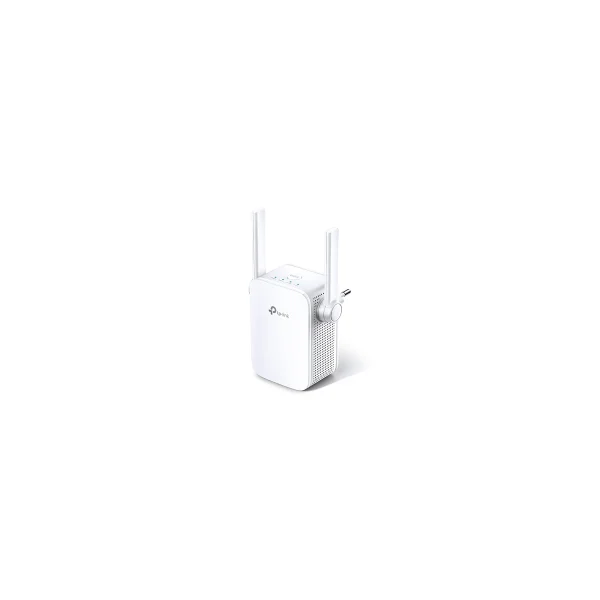
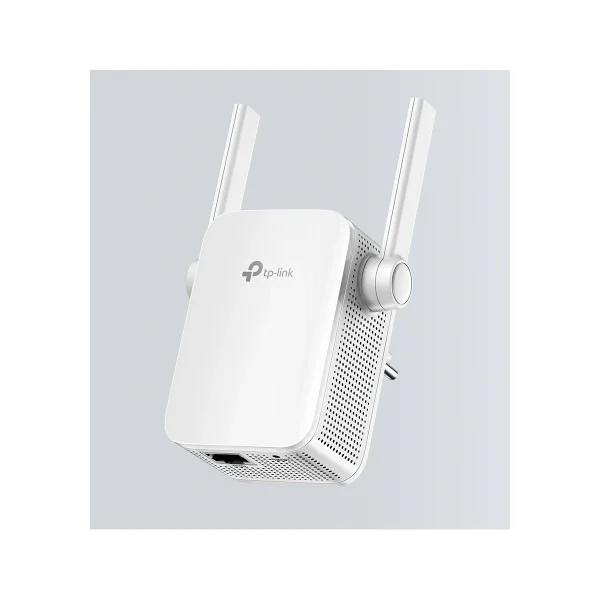
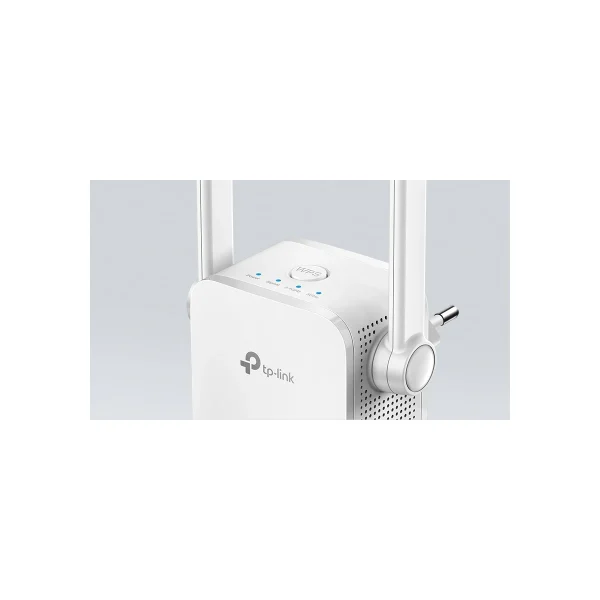
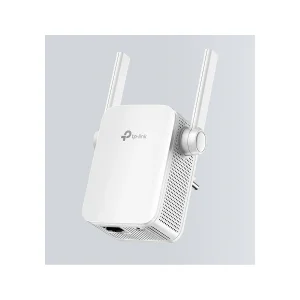
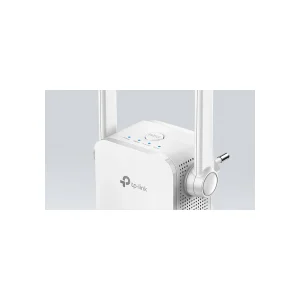
TP-Link RE305 AC1200 Wi-Fi Range Extender
₨10499.00
• AC1200 dual-band speed• Extends Wi-Fi coverage• Easy WPS setup• Ethernet port included
- Description
- Reviews (0)
Description
TP-Link RE305 AC1200 Wi-Fi Range Extender
1. Overview
The TP-Link RE305 AC1200 Wi-Fi Range Extender is the simple and affordable solution for Wi-Fi dead zones in your home or office in Pakistan. It extends your existing wireless network into rooms where the router signal is weak or absent — bedrooms, kitchens, basements and upper floors. With combined dual-band speeds of up to 1200 Mbps, the RE305 keeps streaming, browsing and video calls smooth in every corner. Its compact wall-plug design needs no extra cables or space, and setup takes just minutes with the WPS button or the Tether app. If your router cannot reach the whole house, the RE305 is the easiest upgrade you can make.
The RE305 works with any standard router or access point, so you do not need to replace your existing equipment. Its intelligent signal light helps you find the perfect placement for the strongest extended signal. Pair it with a TP-Link router such as the Archer C64 AC1200 Router or the Archer C6 AC1200 Router for a complete home Wi-Fi setup, and browse more range extenders and networking gear at NexGenShop.
2. Key Benefits
– Eliminates Wi-Fi dead zones by extending coverage to hard-to-reach rooms.
– AC1200 dual-band speeds — 867 Mbps on 5 GHz and 300 Mbps on 2.4 GHz.
– Works with any router — no need to replace your existing network.
– Intelligent signal light shows the best spot for optimal coverage.
– Fast Ethernet port connects wired devices like smart TVs and consoles.
– Access Point mode creates a new Wi-Fi network from a wired connection.
3. Detailed Features of the TP-Link RE305
The RE305 boosts your existing Wi-Fi signal using two external antennas that deliver stable, high-speed connections across both bands. The 5 GHz band is ideal for HD streaming and gaming, while the 2.4 GHz band handles everyday browsing, email and smart home devices. High Speed mode combines both bands for maximum throughput to a single device, giving you the fastest possible extended connection.
Setup is effortless: press the WPS button on your router and the RE305, and the extender copies your network settings in seconds. If your router lacks WPS, the Tether app or a web browser guides you through setup just as easily. The intelligent signal light turns blue when the extender is in a good location and red when it is too far from the router, taking the guesswork out of placement. A Fast Ethernet port lets you connect a wired device directly, turning the extender into a wireless bridge for a smart TV, gaming console or desktop PC. In Access Point mode, the RE305 can also create a brand-new Wi-Fi hotspot from a wired internet connection — perfect for hotel rooms or offices.
4. Technical Specifications
| Specification | Details |
|---|---|
| Model | RE305 |
| Wi-Fi Standard | 802.11ac (Wi-Fi 5) |
| Speed | AC1200 — 867 Mbps (5 GHz) + 300 Mbps (2.4 GHz) |
| Antennas | 2 external antennas |
| Ports | 1 × Fast Ethernet port |
| Modes | Range Extender, Access Point |
| Buttons | WPS, Reset, Power |
| Signal Indicator | Intelligent signal light |
| Security | WPA/WPA2 |
| Dimensions | 80 × 77 × 77 mm |
5. Ideal Users
The RE305 is ideal for homes and small offices with rooms the main router cannot reach. It suits families wanting stable Wi-Fi in bedrooms and upper floors, students in hostels or shared flats, and small businesses extending coverage to a back office or waiting area. It is also perfect for renters who cannot run new cables, and for anyone who wants a quick, affordable fix for weak signals without buying a new router.
6. What’s in the Box
– 1 × RE305 Range Extender
– Quick Installation Guide
7. FAQs
Q1: Will the RE305 work with my non-TP-Link router?
A1: Yes. The RE305 is universally compatible with any standard Wi-Fi router or access point.
Q2: How do I set it up?
A2: Press the WPS button on your router and the RE305, or use the Tether app / web browser for guided setup.
Q3: Where should I place the extender?
A3: Place it halfway between your router and the dead zone. The intelligent signal light confirms a good spot.
Q4: Does it reduce my internet speed?
A4: Extenders share bandwidth, but High Speed mode maximises throughput to one device, keeping streaming and gaming smooth.
Q5: Can I connect a wired device to it?
A5: Yes. The Fast Ethernet port connects a smart TV, console or PC directly to the network.
Q6: What is Access Point mode?
A6: It turns a wired internet connection into a new Wi-Fi hotspot — useful in offices and hotels.
8. Why Buy from NexGenShop
NexGenShop is a trusted online store for genuine networking products in Pakistan. Every TP-Link product is 100% original with official warranty support. We offer competitive prices, fast nationwide delivery and responsive customer support before and after your purchase. Follow us on Facebook and Instagram for new arrivals and exclusive offers. Order the TP-Link RE305 today and say goodbye to Wi-Fi dead zones.




Reviews
There are no reviews yet.