

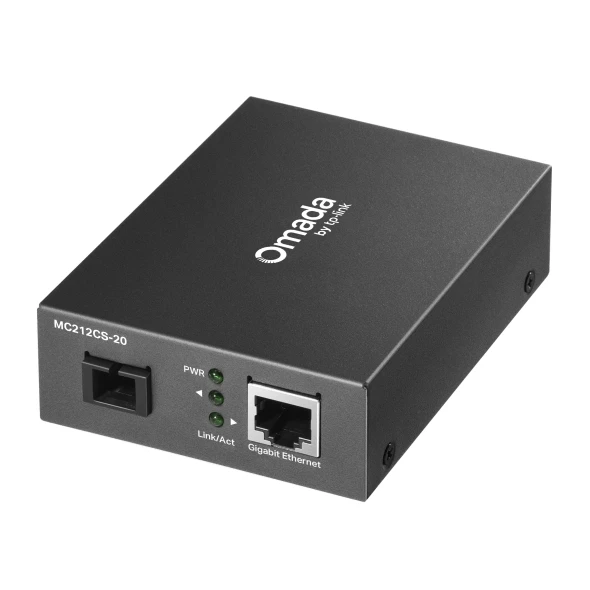
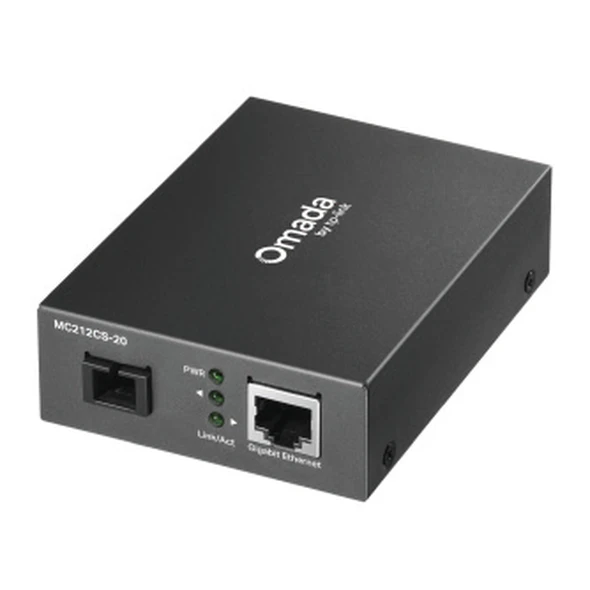
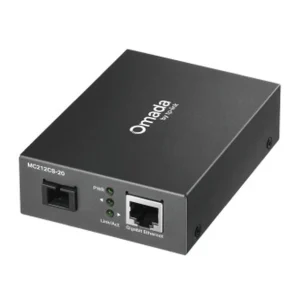
TP-Link MC212CS-20 Media Converter 20km WDM
₨9499.00
- Gigabit WDM media converter that carries transmit and receive traffic on a single strand of single-mode fibre, up to 20 km
- Transmits at 1310 nm and receives at 1550 nm — pairs with the TP-Link MC211CS-20 at the other end
- 1 × 10/100/1000 Mbps RJ45 port with auto-negotiation, plus 1 × SC/UPC fibre port — no SFP slot needed
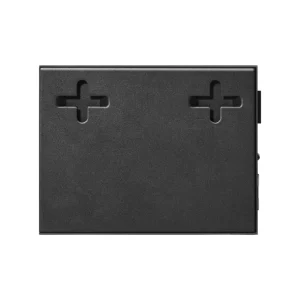
- Plug-and-play desktop unit with wall-mount and TL-MC1400 chassis options; 9 V power adapter included in the box
- Description
- Reviews (0)
Description
Overview
Most fibre links need two strands of glass, one for each direction. The TP-Link MC212CS-20 gets by with one. It is a Gigabit WDM media converter, which carries both directions on a single strand of single-mode fibre. This unit transmits at 1310 nm and receives at 1550 nm — the exact mirror of its twin, the TP-Link MC211CS-20, which transmits at 1550 nm and receives at 1310 nm. Put one at each end of a fibre run and the pair carries a Gigabit Ethernet connection up to 20 kilometres over one core, which is enough to join two offices or two campus buildings where only a single strand is available.
The copper side has one 10/100/1000 Mbps RJ45 port with auto-negotiation, so the converter connects straight to any switch, router, or network device with a spare Ethernet port. No SFP slot is needed. It belongs to TP-Link’s Omada MC21 series, measures 94.5 × 73 × 27 mm, and can sit on a desk, mount on a wall, or slot into a TL-MC1400 rack chassis. Its 9 V power adapter comes in the box.
Key Benefits
The first benefit is the fibre itself. Plenty of older installations, rented buildings, and inter-building ducts have just one spare fibre core, while a standard converter pair needs two. With WDM, one strand does the work of two, which can save a costly new fibre run or a leased second core. The second benefit is distance. Twenty kilometres goes far beyond one campus — across a town or an industrial estate.
The third benefit is that the copper side stays exactly as it is. The converter auto-negotiates 10, 100, or 1000 Mbps, so an older 100 Mbps switch and a modern Gigabit switch both work with it. Flow control under IEEE 802.3x keeps the link steady when traffic bursts. There is nothing to configure: plug in the fibre, the Ethernet cable, and the power adapter, and the PWR and Link/Act LEDs tell you the link is up.
Features and Advantages
WDM, or wavelength division multiplexing, is what makes this unit different. Two wavelengths share one strand: 1310 nm carries traffic one way and 1550 nm carries it back. Since the two directions never share a wavelength, they never interfere with each other, and full Gigabit speed is available in both directions. The fibre port is SC/UPC, the usual connector on single-mode runs, and the converter works over 9/125 μm single-mode fibre.
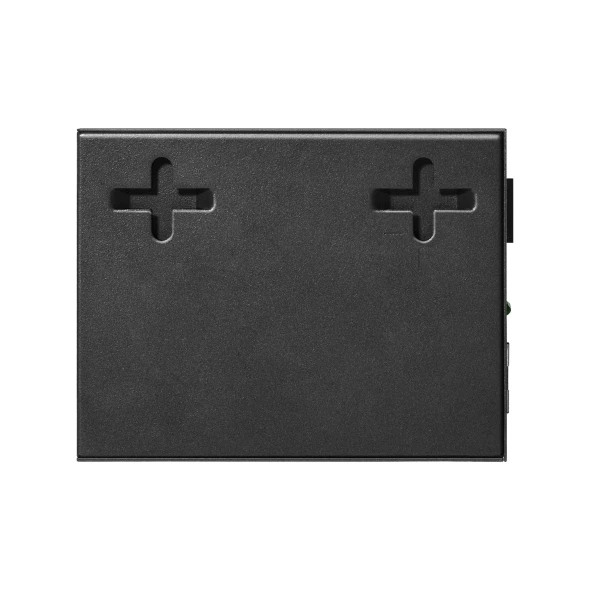
On the copper side, the RJ45 port supports 100BASE-Tx over Cat 5 cable and 1000BASE-Tx over Cat 5e or better, both up to 100 metres, with Auto-MDI/MDIX. The unit follows IEEE 802.3, 802.3i, 802.3u, 802.3ab, 802.3x, and 802.3z, so it interoperates with switches and routers from any brand, not just TP-Link. It runs from −5 °C to 50 °C and tolerates 10–90% humidity without condensing. It can sit on a desk, screw to a wall (screws are not included), or mount in a TL-MC1400 chassis alongside other TP-Link converters.
Ideal Users
Internet service providers and WISPs buy this converter most often. When a customer site or a remote tower has one spare fibre core and needs a Gigabit feed, this unit and its twin close the gap without new civil work. Campus and enterprise network teams use the pair to link buildings across a site — a university block, a hospital wing, a factory floor — where the duct between buildings holds a single strand. CCTV installers use it to bring a remote camera cluster back to the main recorder over fibre, because copper Ethernet stops at 100 metres and fibre does not.
It also suits offices in shared buildings and anyone whose switch has no SFP slot — one converter gives a working switch a fibre port. Buyers should be comfortable with single-mode fibre and SC connectors, or have an installer who is.
Technical Specifications
| Specification | Details |
|---|---|
| Model | TP-Link MC212CS-20 (Omada) |
| Converter type | Gigabit WDM media converter — transmit and receive on one single fibre |
| Wavelength | Transmit 1310 nm / Receive 1550 nm |
| Distance | Up to 20 km over 9/125 μm single-mode fibre |
| Copper port | 1 × 10/100/1000 Mbps RJ45, auto-negotiation, Auto-MDI/MDIX |
| Fibre port | 1 × SC/UPC |
| Standards | IEEE 802.3, 802.3i, 802.3u, 802.3ab, 802.3x, 802.3z |
| Copper cable | 100BASE-Tx Cat 5 or above (up to 100 m); 1000BASE-Tx Cat 5e or above (up to 100 m) |
| Duplex | Auto-negotiation, half/full duplex |
| LEDs | PWR, Link/Act |
| Power supply | External 9 V / 0.6 A adapter (model T050060-2B1, included) |
| Dimensions | 94.5 × 73 × 27 mm |
| Mounting | Desktop; wall-mountable (screws not included); chassis-mountable in TL-MC1400 rack chassis |
| Operating temperature | −5 °C to 50 °C |
| Storage temperature | −40 °C to 70 °C |
| Humidity | Operating 10–90% RH non-condensing; storage 5–90% RH |
| In the box | Converter, power adapter, installation guide |
FAQs
Do I need one MC212CS-20 or two converters?
You need a pair: one MC212CS-20 at one end and one MC211CS-20 at the other. Two MC212CS-20 units cannot talk to each other, because both would transmit on the same wavelength.
What kind of fibre does it need?
A single strand of 9/125 μm single-mode fibre with SC/UPC connectors, up to 20 km long. It does not work over multi-mode fibre, and it does not need a second strand.
Will it work with my existing switch?
Yes, as long as the switch has a spare 10/100/1000 Mbps RJ45 port. No SFP slot is needed. Use Cat 5e cable or better for the full Gigabit speed, and keep the copper run under 100 metres.
How is it different from the MC210CS and the MC212CS-2?
The MC210CS is not a WDM converter. It transmits and receives on 1310 nm, so it needs two fibre strands, and two MC210CS units pair with each other. The MC212CS-2 is the same housing as this unit but only reaches 2 km — if your run is longer, you need the “-20” pair at both ends.
Does it need any configuration?
No. It is plug-and-play: connect the fibre, the Ethernet cable, and the power adapter, and the LEDs show power and link activity.
Why Buy From NexGenShop.pk?
NexGenShop.pk stocks genuine TP-Link Omada hardware, and every listing here is written from the official datasheet, so the specifications you read are the specifications you get. The price is a plain regular price with no inflated “before” figure, and the page tells you plainly that this unit needs its MC211CS-20 twin. If you are unsure whether your fibre run is single-mode, or whether your switch has a spare port, ask before ordering through our Facebook pageor on Instagram. For the network at the far end of the fibre, the same store carries the access points that usually sit on the copper side of a link like this, such as the TP-Link EAP225-Outdoor for outdoor coverage, the TP-Link EAP723 BE5000 for high-capacity indoor coverage, and the TP-Link EAP225 AC1350 for everyday ceiling-mounted Wi-Fi.
Final Conclusion
The TP-Link MC212CS-20 solves one specific problem very well: it puts a Gigabit Ethernet link onto a single strand of single-mode fibre for up to 20 km, over equipment you already own. Its value is in what it avoids — a second fibre core, a new fibre run, or a replacement switch with SFP slots. The one thing to remember is the pairing: order it together with the MC211CS-20, one for each end, and the link will come up as soon as both ends are powered.




Reviews
There are no reviews yet.