

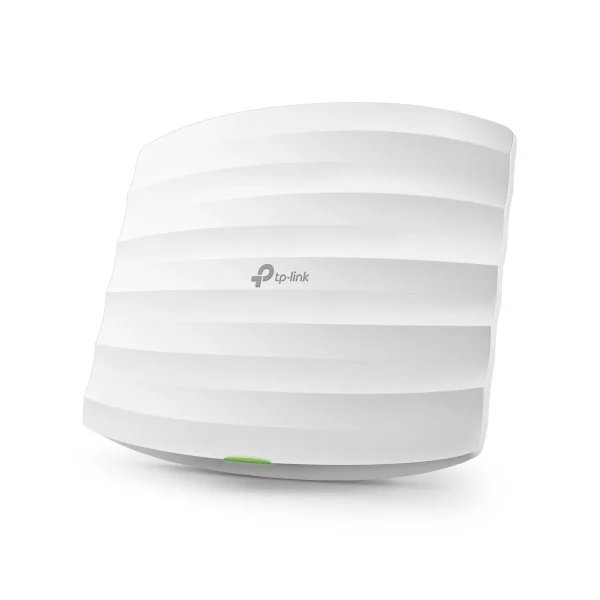
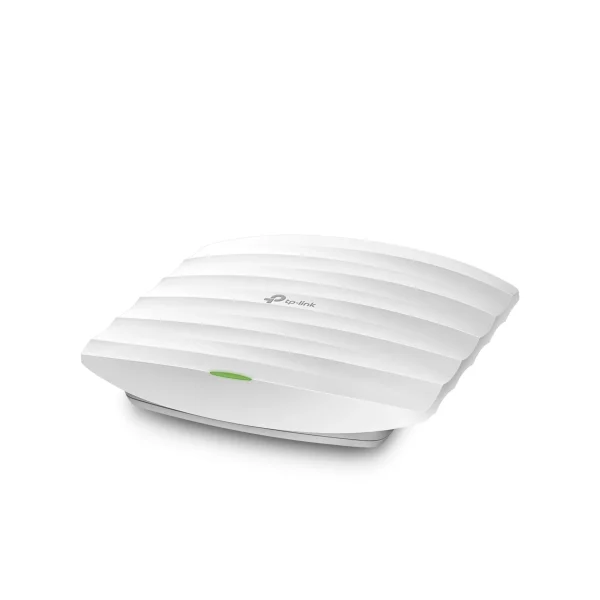
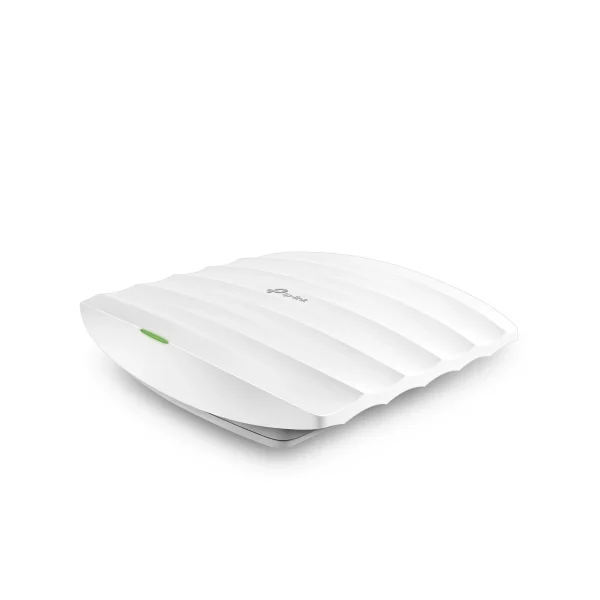
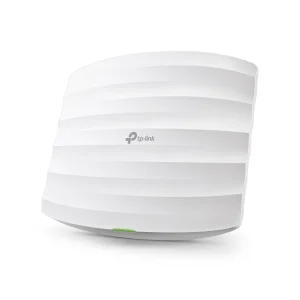
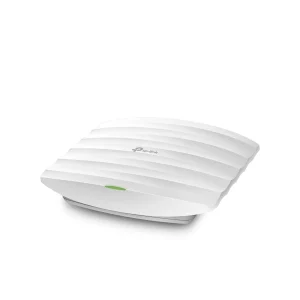
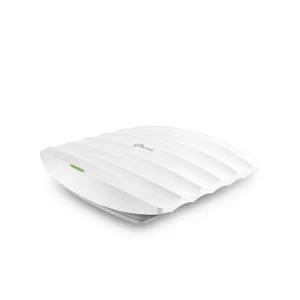
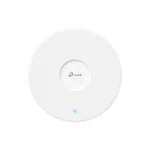
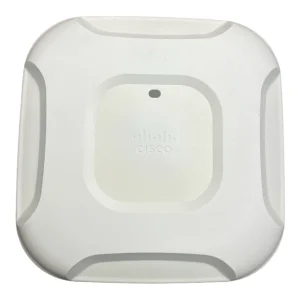
TP-Link EAP225 AC1350 Ceiling Access Point
₨22999.00
- AC1350 dual-band Wi-Fi for offices and shops
- MU-MIMO serves many devices at once
- Omada central cloud and app management
- PoE powered with ceiling mounting kits included
- Description
- Reviews (0)
Description
Overview
The TP-Link EAP225 AC1350 Ceiling Access Point is a business-class wireless access point designed to bring fast, reliable, centrally managed Wi-Fi to offices, shops, schools, cafes, hotels, and larger homes. Unlike a home router built to serve one household from a single box, the EAP225 mounts on a ceiling or wall and works as part of a managed network, where several access points cooperate to cover a building with one seamless network. It delivers dual-band Wi-Fi at up to 1350 Mbps in total (867 Mbps on 5 GHz and 450 Mbps on 2.4 GHz) using 802.11ac Wave 2 MU-MIMO.
The EAP225 is part of TP-Link’s Omada software-defined networking platform, so it can be managed centrally from the cloud, the Omada app, or an Omada controller, rather than one device at a time. It is powered over its Ethernet cable using 802.3af/at PoE or 24V passive PoE, with a PoE adapter included, so no nearby power socket is needed. With seamless roaming, band steering, airtime fairness, beamforming, and a secure guest network, it is an affordable step up from consumer Wi-Fi for busy premises.
Key Benefits
- AC1350 dual-band Wi-Fi: 867 Mbps on 5 GHz plus 450 Mbps on 2.4 GHz for fast, balanced coverage.
- MU-MIMO technology: Serves multiple devices at the same time instead of one after another.
- Omada central management: Manage one or many access points from the cloud or the Omada app.
- Seamless roaming: Devices move between access points without dropping calls or video streams.
- PoE powered: Runs over its network cable with 802.3af/at or 24V passive PoE; adapter included.
- Secure guest network: Captive portal with SMS and voucher authentication.
- Clean ceiling installation: Low-profile white design with mounting kits included.
Detailed Features of the TP-Link EAP225 AC1350 Ceiling Access Point
Speed comes from its dual-band 802.11ac Wave 2 MU-MIMO radio. Traditional access points serve one device at a time, creating delay when many users are connected, but MU-MIMO lets the EAP225 transmit to several devices simultaneously, so a busy office, classroom, or cafe stays responsive at peak times. The 5 GHz band, at up to 867 Mbps, handles video streaming, conferencing, and large transfers, while the 2.4 GHz band, at up to 450 Mbps, covers older devices and reaches further through walls. Band steering guides capable devices onto 5 GHz, airtime fairness stops one slow device hogging the medium, and beamforming focuses the signal toward clients.
Management is where the EAP225 earns its place. As part of the Omada SDN platform, it supports zero-touch provisioning, centralised cloud management, and intelligent monitoring, and it can be configured from the Omada app or an Omada cloud-based, software, or hardware controller. That means an owner or IT manager can change settings, check connected clients, set wireless schedules, and push updates across all access points from one place. It also supports up to 16 SSIDs, eight per band, for separate staff, guest, and device networks, with SSID-to-VLAN mapping, access control, client isolation, rogue AP detection, and 802.1X keeping them separated. For larger buildings, compare models in the access point range at NexGenShop, including the TP-Link EAP723 BE5000 Ceiling AP for Wi-Fi 7.
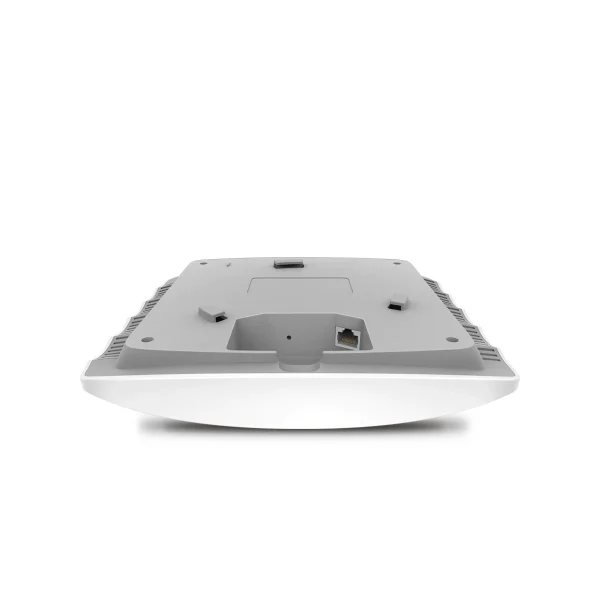
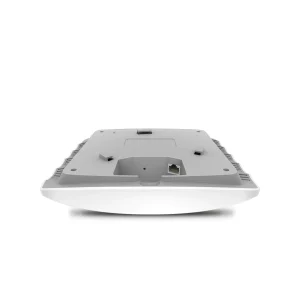
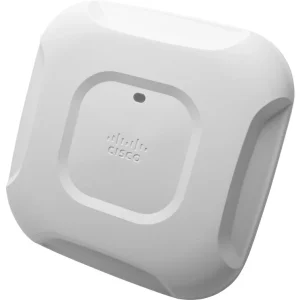
Installation is flexible. The EAP225 has a single Gigabit Ethernet RJ-45 port carrying both data and power, supporting IEEE 802.3af/at PoE and 24V passive PoE, so it can be powered from a PoE switch or the supplied adapter. Ceiling and wall mounting kits are included, and the slim white housing (205.5 x 181.5 x 37.1 mm) sits discreetly on a ceiling. A reset button and a physical security lock are built in, and it supports Omada Mesh and load balancing. For smaller premises that do not need a managed access point, a standalone router such as the TP-Link Archer AX53 AX3000 Dual-Band Gigabit Wi-Fi 6 Router or the TP-Link Archer AX23 AX1800 Dual-Band Gigabit Wi-Fi 6 Router may be enough, but where several rooms or floors need one unified network, the EAP225 is the right tool.
- 802.11ac Wave 2 MU-MIMO: Simultaneous transmission to multiple devices for lower latency.
- Dual-band AC1350: 450 Mbps on 2.4 GHz and 867 Mbps on 5 GHz, working at the same time.
- Omada SDN integration: Cloud management, zero-touch provisioning, and intelligent monitoring.
- Seamless roaming and Omada Mesh: Smooth movement between access points across a site.
- Advanced wireless optimisation: Band steering, load balancing, airtime fairness, and beamforming.
- Guest network with captive portal: SMS and voucher authentication plus strong security controls.
- Flexible PoE power: 802.3af/at PoE or 24V passive PoE, with the PoE adapter included in the box.
Technical Specifications
| Specification | Details |
|---|---|
| Model | TP-Link EAP225 |
| Brand | TP-Link |
| Product Type | AC1350 Wireless MU-MIMO Gigabit Ceiling Mount Access Point |
| Wireless Standards | IEEE 802.11ac/n/g/b/a |
| Frequency Bands | 2.4 GHz and 5 GHz (dual-band) |
| Wireless Speed | Up to 867 Mbps (5 GHz) + up to 450 Mbps (2.4 GHz); 1350 Mbps total |
| Antennas | 3 internal omni-directional antennas |
| Antenna Gain | 2.4 GHz: 4 dBi; 5 GHz: 5 dBi |
| Ethernet Port | 1 x Gigabit Ethernet RJ-45 port (supports 802.3af PoE and passive PoE) |
| Power Supply | 802.3af/at PoE; 24V passive PoE (PoE adapter included) |
| Power Consumption | EU: 10.5 W; US: 12.6 W |
| Button | Reset button |
| Physical Security | Physical security lock |
| Mounting | Ceiling / wall mounting (kits included) |
| Wireless Functions | MU-MIMO, beamforming, band steering, airtime fairness, load balancing, seamless roaming, Omada Mesh, QoS (WMM) |
| SSIDs | Up to 16 SSIDs (8 per band) |
| Management | Omada Cloud, Software, and Hardware Controllers (OC200/OC300), Omada app |
| Wireless Security | Captive portal, access control, MAC filtering, client isolation, SSID to VLAN mapping, rogue AP detection, 802.1X |
| Dimensions | 205.5 x 181.5 x 37.1 mm |
| System Requirements | Microsoft Windows XP, Vista, Windows 7, Windows 8, Windows 10, Linux |
| Certifications | CE, FCC |
| Operating Temperature | 0°C to 40°C |
| Operating Humidity | 10% to 90% non-condensing |
Ideal Users
- Small and medium offices: Reliable, managed Wi-Fi for staff across rooms and floors.
- Shops, cafes, and restaurants: A guest network for customers plus a separate staff network.
- Schools and coaching centres: Classrooms full of devices sharing one stable wireless network.
- Hotels and guest houses: Corridor and lobby coverage with voucher-based guest access.
- Clinics and salons: Clean ceiling-mounted Wi-Fi without routers sitting on desks.
- Larger homes: A managed access point as part of a multi-unit home network.
What’s in the Box
- TP-Link EAP225 AC1350 Wireless MU-MIMO Gigabit Ceiling Mount Access Point
- Passive PoE Adapter
- Power Cord
- Mounting Kits
- Installation Guide
FAQs
Q: Is the EAP225 a router?
A: No. It is an access point, so it needs a router and a network connection. It connects over Ethernet and broadcasts Wi-Fi; it does not replace your internet router.
Q: Do I need a power socket on the ceiling?
A: Not necessarily. It is powered over its Ethernet cable using PoE, from a PoE switch or the included passive PoE adapter, so only the network cable needs to reach the ceiling.
Q: Can I manage it from my phone?
A: Yes. The Omada app lets you configure settings, monitor the network, and manage clients from a smartphone or tablet.
Q: Will my phone drop its call when I walk to another room?
A: With seamless roaming across Omada access points, devices move between units without interrupting streams or calls.
Q: Can I run separate Wi-Fi networks for staff and guests?
A: Yes. It supports up to 16 SSIDs, eight per band, with captive portal guest authentication by SMS or voucher.
Why Buy from NexGenShop
When you order from NexGenShop, you get a genuine TP-Link product, careful packing, and delivery across Pakistan, backed by a store that understands home and office networking. If you are unsure which device suits your setup, our team can help you compare options before you buy. Follow NexGenShop on Facebook and Instagram for new arrivals, offers, and practical networking tips, and order with confidence from a Pakistani store that stands behind what it sells.

Reviews
There are no reviews yet.